
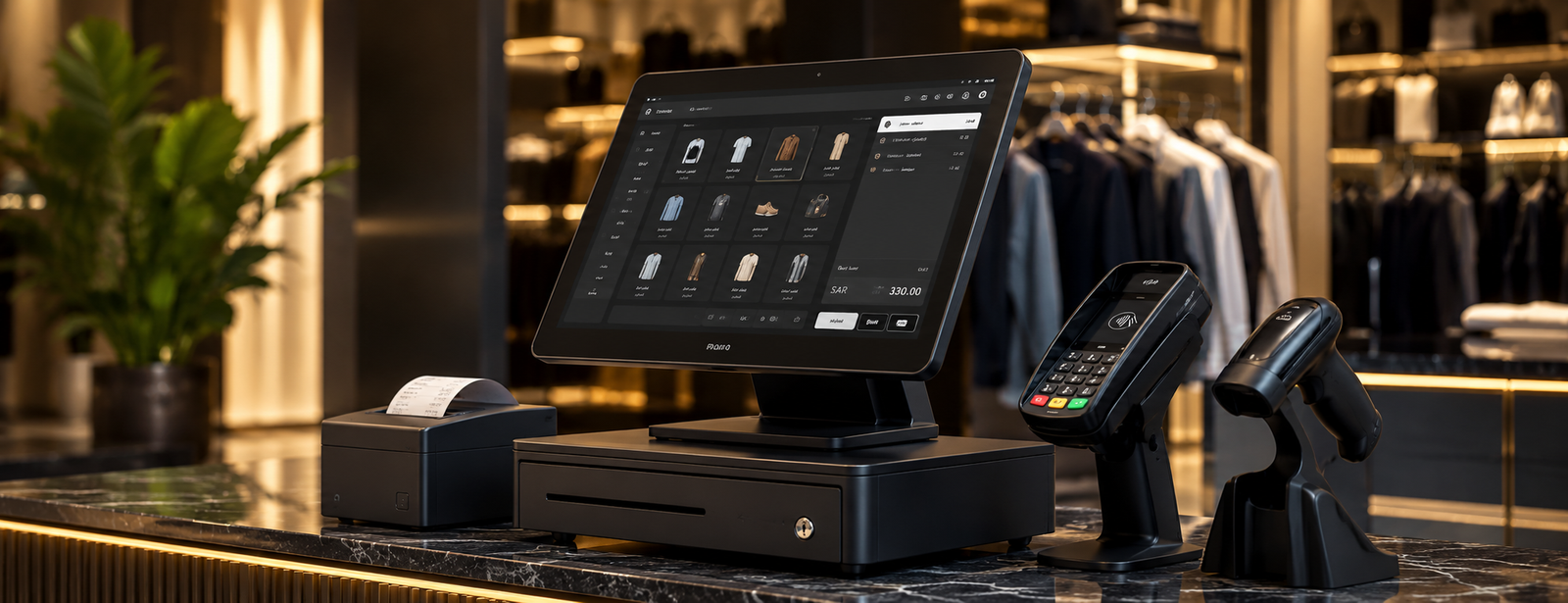
Best POS Device in Saudi Arabia
Choosing the best POS device does not depend only on its appearance or price, because a POS device operates at the heart of the daily sales process. Any slowdown or malfunction may lead to longer customer waiting times, errors in recording invoices and payments, and difficulty reconciling sales with inventory and accounts.
This is even more important in Saudi Arabia given the widespread adoption of electronic payments. The Saudi Central Bank announced that electronic payments accounted for 85% of the total number of retail payment transactions made by individuals in 2025.
In this guide, we explain how to choose the best POS device in Saudi Arabia, the important specifications, when the Digital H6 POS device is suitable, and how to connect the device to sales, inventory, and accounting software.

What Is a POS Device?
A POS device is the device used at the sales counter to run POS software, record products or services, and complete the invoice. It may be a touchscreen, an All-in-One device, a tablet, or a desktop cashier device.
A cashier device is usually integrated with a range of equipment, such as:
- Barcode scanner.
- Receipt printer.
- Cash drawer.
- Customer display.
- Bank payment terminal.
- Electronic scale for certain types of businesses.
- POS software.
- Product and price database.
AamalSoft explains in its POS guide that a POS system is not limited to the cashier device; it can also include software, inventory, customers, accounts, reports, and payment methods.
For more information: Read the guide POS Systems and How to Choose POS Software for Your Business.
What Is the Difference Between a Cashier Device and a Bank Payment Terminal?
A cashier device and a payment terminal are not the same thing. This is one of the most important points to understand before searching for the best POS device.
Comparison |
POS cashier device |
Bank payment terminal |
|---|---|---|
Function |
Processing sales and invoices |
Collecting the transaction amount by card |
Products and prices |
Managed through POS software |
Usually not managed |
Inventory |
Can be connected to inventory |
Does not manage inventory |
Invoices |
Creates the sales invoice |
Issues a payment receipt |
Reports |
Sales, inventory, shifts, and more |
Payment transaction reports |
Provider |
POS device/system supplier |
Bank or qualified payment service provider |
Integration |
Can be connected to accounting |
Can be connected to POS software |
The Mada POS terminal service is designed to accept payments and connect the payment transaction between the merchant and the parties in the payment network, while the cashier device is responsible for managing the sales process itself.
Therefore, if you want to manage a store or restaurant, you will most likely need a cashier device and POS software, and you may also need a bank payment terminal.
Ready to Try the System?
Start your free trial or speak with our sales team to help you choose the right solution.
What Are the Specifications of the Best POS Device?
The best POS device is one that can run your software quickly and reliably throughout working hours and is compatible with the other devices your business needs, which is available in the cashier and POS device from DigitalPro.
The most important criteria to focus on when choosing the device are:
Processor and Memory Speed
During busy periods, customers should not have to wait for the device to respond when searching for an item, scanning a barcode, or issuing an invoice.
Therefore, check:
- Processor type.
- RAM capacity.
- Storage drive type.
- The requirements of the POS software you will use.
A Suitable Cashier Display
A touchscreen makes operation faster, especially in:
- Restaurants.
- Cafés.
- Supermarkets.
- Retail stores.
The screen should also be comfortable for repeated use throughout the shift.
A Second Customer Display
It allows the customer to view:
- Products.
- Prices.
- Discounts.
- Invoice total.
This helps identify errors before payment and makes the sales process clearer.
Peripheral Compatibility
Before purchasing, make sure the device is compatible with:
- Thermal printer.
- Barcode scanner.
- Cash drawer.
- Customer display.
- Card reader.
- Electronic scale when needed.
The DigitalPro system supports multiple types of printers, barcode scanners, customer displays, card readers, and electronic scales.
Discover: DigitalPro Accounting and POS System.
Best POS Device in Saudi Arabia: Is Digital H6 POS Suitable?
Digital H6 POS is an option worth evaluating when searching for the best POS device in Saudi Arabia for stores, restaurants, and companies, especially when you need an All-in-One device to run cashier software and manage sales.
The device comes with the following specifications:
- Intel Core i5-5200U processor at 2.2GHz.
- 8GB RAM.
- 128GB SSD storage drive.
- Primary LED display.
- Optional second customer display.
- All-in-One design.
The page also presents the device as ready to work with cashier, sales management, and inventory systems, with a design that reduces the number of separate components on the counter.
You can review the specifications directly on the Digital H6 POS cashier device.
Why Is Buying a POS Device Without POS Software Not Enough?
The device alone does not know product prices, inventory balances, or branch sales. These functions come from the POS software running on it.
When the device is connected to an integrated POS system, a single transaction can perform several actions:
- Scan the product barcode.
- Retrieve the price and tax.
- Apply the permitted discount.
- Select the payment method.
- Issue the invoice.
- Reduce inventory.
- Record shift sales.
- Update the business accounts.
- Add the transaction to reports.
DigitalPro combines sales, inventory, accounting, and reports, while also managing returns, payment methods, suppliers, and warehouses.
Therefore, it is better to choose the device and software as one system rather than buying a device and later discovering that your software does not run on it or is incompatible with the printer and barcode scanner.
See: DigitalPro as an Accounting and POS System.
What Is the Best POS Device for Restaurants and Cafés?
Restaurants need a device that can handle a high volume of orders and work smoothly with the system used to manage the dining area, kitchen, and inventory.
Look for a device that provides:
- An easy-to-use, responsive screen.
- Stable operation during peak hours.
- Support for order printers.
- A customer display when needed.
- Easy barcode scanner connection.
- Compatibility with restaurant software.
- The ability to connect payment methods.
Most importantly, consider the system behind the device. A restaurant needs to manage orders, tables, takeaway, delivery, inventory, and ingredient costs, not just issue a sales invoice.
For these businesses, AamalSoft provides an accounting system for restaurants and cafés that can be used with the appropriate POS environment.
What Is the Best POS Device for Stores and Supermarkets?
A retail store needs a device that can quickly scan and enter a large number of items while supporting connected peripherals.
Focus on:
- Barcode scanner.
- Touchscreen.
- Printer.
- Cash drawer.
- Customer display.
- Scale for supermarkets.
- Device stability.
- POS software speed.
The system should also support:
- Offers and discounts.
- Returns.
- Multiple units.
- Inventory.
- Expiration dates when needed.
- Shifts.
- Sales reports.
DigitalPro provides functions for barcodes, weights, returns, expiration dates, item management, and inventory. Therefore, the device and software should be evaluated together rather than assessing each component separately.

Is There a POS Device for Individuals?
The term POS device for individuals may refer to two different things.
If you mean a cashier device for managing a sole proprietorship, then yes: a store owner or small-business owner can purchase a cashier device and run POS software suited to their business.
If you mean a bank payment terminal for accepting Mada and bank cards, this service is intended for merchants and business owners and is linked to payment settlement through the merchant's account with the acquiring bank. The Saudi Central Bank defines a merchant account as the account used to settle POS transactions.
A SoftPOS service is also available, allowing merchants to accept Mada cards and payment networks through eligible Android devices without requiring a separate payment terminal in some cases.
Therefore, you must first determine whether you need a device to manage sales or a device to accept bank payments.
How to Request a POS Device
The process for requesting a POS device varies depending on the type of device required.
If You Want a POS Cashier Device
The steps are usually as follows:
- Define the nature of the business.
- Choose the POS software.
- Review the software's technical requirements.
- Choose a compatible device.
- Select the printer, barcode scanner, and additional display.
- Install the system.
- Enter the products and prices.
- Test the sales and returns processes.
- Train the cashier staff.
You can start by reviewing Digital H6 POS and then make sure it is suitable for the workload and software being used.
If You Want a Bank Payment Terminal
The payment acceptance service is requested from a bank or payment service provider according to the requirements of the entity you contract with. Requirements and documents vary depending on the service provider and the nature of the business.
Therefore, do not confuse obtaining a payment terminal with purchasing a cashier device.
How Do You Test the Device Before Buying?
Before approving the device, perform a test that simulates an actual workload:
- Open the POS software.
- Search for several products.
- Use the barcode scanner.
- Create a large invoice.
- Print the invoice.
- Process a return.
- Open more than one screen in the system.
- Test the customer display.
- Test the printer.
- Close the shift.
- Generate the sales report.
Do not buy the devices first and then look for compatible software, as this is a common mistake when setting up POS systems.
Common Mistakes When Choosing a POS Device
Avoid:
- Choosing the device based only on price.
- Buying an underpowered device to reduce costs.
- Ignoring the POS software requirements.
- Failing to test the printer and barcode scanner.
- Confusing the cashier device with the payment terminal.
- Failing to consider peak hours.
- Overlooking the customer display.
- Ignoring maintenance and support.
- Failing to test returns.
- Purchasing the device before selecting the accounting system.
- Failing to plan for additional branches.
The right device today should continue serving the business as the number of products and invoices increases.
Ready to Try the System?
Start your free trial or speak with our sales team to help you choose the right solution.
Frequently Asked Questions About the Best POS Device
What Is the Best POS Device?
The best device is one that delivers stable performance and is compatible with the POS software, printer, barcode scanner, and the business's other devices. Digital H6 POS is one of the options available from AamalSoft for stores, restaurants, and companies.
What Is the Best POS Device in Saudi Arabia?
No single device is best for every business. Your choice should be based on sales volume, software, operating hours, and the devices that need to be connected. Digital H6 POS can be evaluated if you are looking for an All-in-One device with an i5 processor, 8GB RAM, an SSD, and an optional second display.
Is a POS Device the Same as a Mada Terminal?
Not necessarily. A POS cashier device manages the sales process, invoice, and products, while a payment terminal collects the transaction amount by card. The two devices can be connected.
Can Individuals Request a POS Device?
A sole proprietor can purchase a cashier device to manage the business. Bank payment acceptance terminals, however, are services for merchants and are subject to the requirements of the bank or payment service provider.
Do I Need a Powerful Device If the Store Is Small?
This depends on the software and the number of products, invoices, and connected devices. A small business does not need to buy the highest specifications available, but it does need a device that meets the software requirements without slowing down.
Which Devices Can Be Connected to a POS System?
Depending on the system used, printers, cash drawers, barcode scanners, customer displays, card readers, and electronic scales can be connected. DigitalPro supports these categories of devices.
Conclusion
Choosing the best POS device starts with determining what you actually need: a cashier device to run sales software, a payment terminal to accept cards, or a complete system that combines both?
For stores and restaurants, the device should not be evaluated separately from the software, because the true value of a POS system comes from connecting invoices with inventory, accounts, returns, shifts, and reports.
Digital H6 POS is an option that can be evaluated when searching for the best POS device in Saudi Arabia, especially for anyone who needs an All-in-One device with an optional second display and specifications suitable for running cashier systems.
You can view the Digital H6 POS device, then connect it to the DigitalPro POS system to obtain a system that combines the device with sales, inventory, and accounting management.
To find the right solution for your type of business, explore AamalSoft solutions or Request a Free Trial to try the system before fully setting up the point of sale.
Start Managing Your Business with Complete Flexibility
Try AamalSoft for free. Start issuing ZATCA-compliant electronic invoices within minutes.
- Free trial with no credit card required
- 24-hour technical support
- ZATCA compliant