
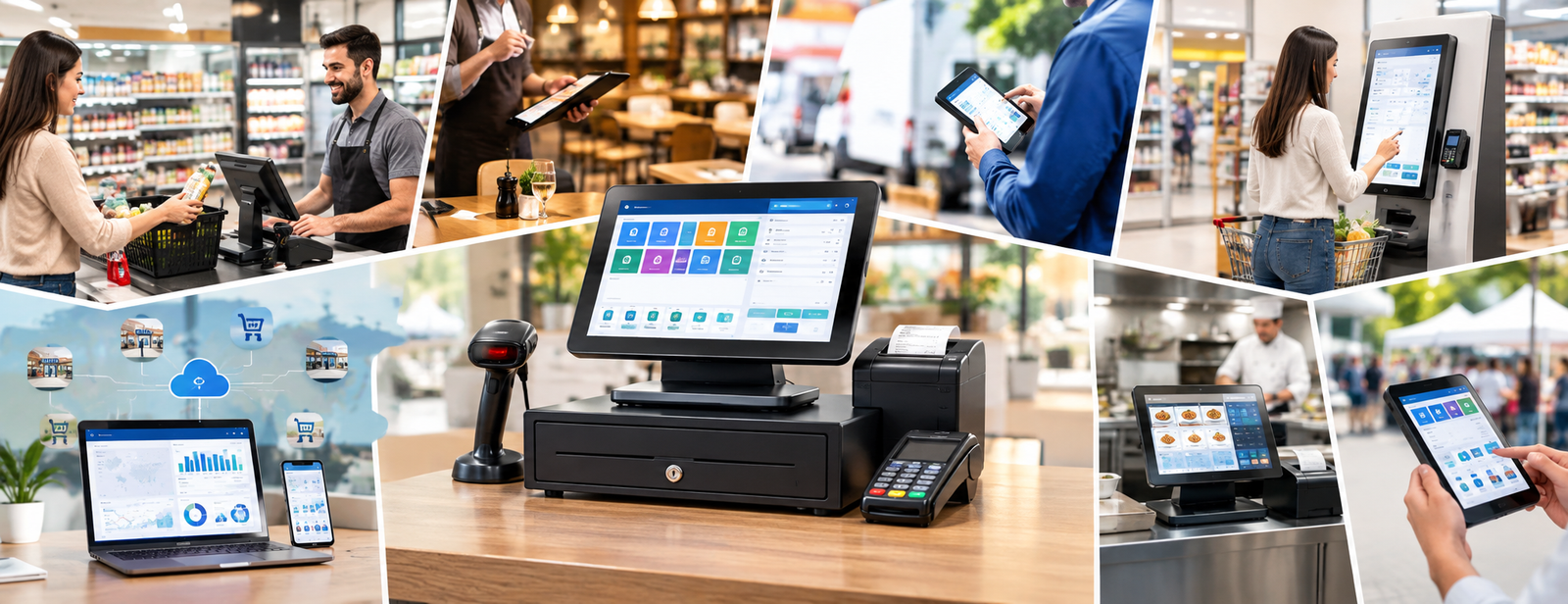
Types of Cash Register Systems
When setting up a new shop, restaurant, or supermarket, choosing a cash register may seem simple: a device on the counter and software for issuing invoices.
But once operations begin, more important questions arise: Does the cash register update inventory after every sale? Can you track each employee’s sales? What happens when a return is processed? Does it support barcodes and different payment methods? Can management monitor more than one branch through the same system?
This is why understanding the types of cash register systems before purchasing is important, because the right system does more than record sales amounts; it can connect sales with inventory, accounting, customers, purchases, and reports.
At Digital Business, we view the cash register as part of a point-of-sale POS system, rather than just a machine for collecting money. This is why DigitalPro for Accounting and Point of Sale provides a sales interface connected to items, inventory, purchases, payment methods, and reports.

What Is a Cash Register System?
A cash register system is the system used to record sales, receive payments, and issue invoices. It may also include managing products, inventory, returns, offers, customers, reports, and accounting.
Therefore, there is a difference between:
Cash register hardware: The equipment used at the point of sale.
And
Cash register software or system: The system that manages sales transactions and data.
A point-of-sale system may consist of:
- A POS device.
- A touchscreen.
- A barcode scanner.
- A receipt printer.
- A cash drawer.
- A customer display.
- An electronic payment terminal.
- Point-of-sale software.
This is why you should choose the software and hardware together according to the nature of your business.
What Are the Types of Cash Register Systems?
Cash register systems can be divided into several types according to their operating method, business size, and required functions.
| Type | Generally Suitable For | Main Feature |
|---|---|---|
| Traditional cash register | Very simple businesses | Recording sales and calculating amounts |
| Standalone POS | Small shops | Sales, barcodes, and invoices |
| Integrated POS | Shops and supermarkets | Sales + inventory + accounting |
| Cloud-based cash register | Branches and remote management | Online access |
| Restaurant cash register | Restaurants and cafés | Orders, tables, and the kitchen |
| Mobile cash register | Mobile businesses | A tablet or phone |
| Self-service | Some restaurants and stores | Customers placing orders themselves |
The most advanced type is not always the best; the best is the one that matches your business workflow.
Ready to Try the System?
Start your free trial or speak with the sales team for help choosing the right solution.
1. Traditional Cash Register
The traditional cash register is the simplest type and is primarily used to record sales amounts and calculate amounts due.
It may be suitable when the business:
- Is very small.
- Has a limited number of products.
- Does not require advanced inventory management.
- Does not require detailed sales analysis.
However, as the number of products, employees, and suppliers increases, its limitations begin to appear.
If you need to know the quantity of each product, the best-selling products, or the value of returns, you will generally need a more advanced POS system.
2. Standalone POS System
This type adds tools to the cash register’s basic function that help employees complete sales faster.
Its main functions include:
- Searching for products.
- Scanning barcodes.
- Recording quantities.
- Applying discounts.
- Selecting the payment method.
- Issuing invoices.
- Processing returns according to permissions.
It is suitable for shops that need to organize their point of sale, but you should verify its level of integration with inventory and accounting before choosing it.
You can review the guide to point of sale and how to choose the best POS software for your business to understand which functions should be tested at the point of sale.
3. Cash Register System Integrated with Accounting and Inventory
This type is more suitable for businesses that want to manage the entire sales cycle, rather than just the cash register interface.
When an employee sells a product, the process can proceed as follows:
Scan the barcode → Record the sale → Issue the invoice → Record the payment method → Reduce inventory → Update accounts → Update reports
This is where the value of an integrated system becomes clear.
If the cashier works with one program, the accountant uses another, and inventory is kept in an Excel file, the team will have to enter the same data repeatedly.
This is why DigitalPro connects the point-of-sale interface with sales, purchases, inventory, and accounting, and supports multiple barcodes and units, as well as quantity and cost tracking.
You can learn more about this model through the point-of-sale software DigitalPro.
4. Cloud-Based Cash Register System
A cloud-based cash register system operates online and provides access to data from multiple locations according to user permissions and system capabilities.
It is particularly suitable when management needs to:
- Monitor more than one branch.
- View sales remotely.
- Use more than one device.
- Manage data centrally.
- Access reports without being inside the store.
However, before choosing a cloud-based system, you should also check:
- How it operates when the internet connection is weak.
- User management.
- Branch permissions.
- How data is stored.
- Integration with the required devices.
Digital Business offers a cloud-based accounting system for businesses that need a cloud-based operating environment connected to accounting, sales, and inventory.
5. Cash Register System for Restaurants and Cafés
A restaurant needs different functions from a clothing or spare parts store.
A sale may begin with a table, takeaway order, or delivery order, then move to the kitchen before reaching the payment stage.
This is why a restaurant system typically needs to manage:
- Tables.
- Orders.
- Meal add-ons.
- Sections.
- The kitchen.
- Dine-in and off-premises orders.
- Discounts.
- Payment methods.
- Inventory and recipes.
- Reports.
This is why Digital Business developed a restaurant and café management system to handle the restaurant’s operating cycle instead of using a general sales interface that does not account for the nature of its orders.
6. Mobile Cash Register Mobile POS
In some businesses, employees do not need to remain behind a fixed counter.
A phone or tablet can be used as a mobile point of sale in situations such as:
- Exhibitions.
- Events.
- Some restaurants.
- Sales representatives.
- Sales kiosks.
- Seasonal points of sale.
The advantage of this type is flexibility, but before using it, you should ensure that the system is compatible with the devices, printers, and payment methods used in your business.
7. Self-Service Cash Register System
In a self-service system, customers can complete part of the ordering or purchasing process themselves using a dedicated screen or device.
This model is used in some:
- Fast-food restaurants.
- Cafés.
- Large stores.
- High-volume service environments.
The goal is usually to reduce waiting times and provide more than one point for entering orders, but its success depends on the nature of the business, the ease of the user experience, and its integration with the main system.

What Is the Best Type of Cash Register for Retail Stores?
A retail store generally needs more than just recording sales amounts.
It is preferable to look for a system that supports:
- Barcodes.
- Inventory.
- Purchases.
- Suppliers.
- Returns.
- Discounts and offers.
- Payment methods.
- Cashier permissions.
- Reports.
- More than one branch when needed.
This is why an integrated POS may be better than a traditional cash register if you have a large number of products.
We have explained these requirements in more detail in the guide to the best accounting software for retail stores.
What Hardware Does a Cash Register System Need?
Hardware requirements differ from one business to another.
You may need:
- A POS device.
- A barcode scanner.
- A receipt printer.
- A cash drawer.
- A customer display.
- A scale connected to the cash register.
- An electronic payment terminal.
Therefore, we do not recommend buying the hardware first and then looking for software that runs on it; it is better to determine the system and operating cycle, then choose compatible hardware.
Digital Business offers the Digital H6 POS cash register device as an All-in-One device equipped with a main screen and an optional second screen, and configured to work with point-of-sale systems.
How Do You Choose the Right Cash Register System?
Before purchasing, do not just look at the appearance of the interface.
Try an actual sales cycle:
- Add a product.
- Enter its price and tax.
- Scan the barcode.
- Sell more than one unit.
- Apply a discount.
- Use more than one payment method.
- Print the invoice.
- Process a return.
- Review the inventory balance.
- Review the sales report.
- Test cashier permissions.
- Close the shift.
- Try another branch if you have more than one branch.
After this trial, you will know whether the system actually manages operations or is just an interface for issuing invoices.
Ready to Try the System?
Start your free trial or speak with the sales team for help choosing the right solution.
Why Are Cashier Permissions Important?
Not every employee should be able to perform all operations.
You may allow the cashier to make sales but require supervisor approval for:
- Large discounts.
- Returns.
- Editing an invoice.
- Deleting a transaction.
- Changing a price.
- Viewing certain reports.
DigitalPro allows you to define permissions related to the cashier, discounts, and returns. It also retains user information when certain sales transactions are modified, helping strengthen control at the point of sale.
What Happens to the Data After a Sale Is Completed?
This is the question we recommend asking before choosing any cash register system.
Does the process end when the invoice is printed?
Or does the data move to:
Inventory → Accounts → The customer → Payment methods → Profits → Reports?
The more connected these steps are, the less manual work is needed, and the easier it becomes to understand what is happening within the business.
This is the foundation of the point-of-sale software Digital Pro, where the point-of-sale interface operates as part of the accounting, inventory, and sales system rather than as separate cash register software.
When Do You Need to Replace Your Current Cash Register System?
Your current system may be unsuitable if you frequently encounter:
- Discrepancies between inventory and sales.
- A slow cash register interface.
- Manual product entry.
- A lack of clear permissions.
- Difficulty processing returns.
- A lack of visibility into each branch’s sales.
- The need for Excel to complete reports.
- A lack of integration between sales and accounting.
- A lack of support for the required devices.
- Difficulty adding a new branch.
If these problems have become part of daily operations, moving to an integrated system may be more beneficial than adding separate solutions around the old system.
Ready to Try the System?
Start your free trial or speak with the sales team for help choosing the right solution.
Common Mistakes When Choosing a Cash Register System
Avoid:
- Choosing only the cheapest software.
- Buying the hardware before selecting the software.
- Focusing on the appearance of the sales interface.
- Ignoring inventory management.
- Not trying returns.
- Not testing barcodes.
- Ignoring employee permissions.
- Not considering future branches.
- Buying a restaurant system for a store or vice versa.
- Not trying reports before purchasing.
A good system should suit how the business operates, not just issue invoices.
Frequently Asked Questions About Types of Cash Register Systems
What Are the Types of Cash Register Systems?
They include traditional cash registers, standalone POS systems, points of sale integrated with accounting and inventory, cloud-based systems, restaurant cash registers, Mobile POS, and self-service systems.
What Is the Difference Between a Cash Register and POS?
A cash register may refer to the device or the function of recording sales, while POS is a point-of-sale system that can include software, hardware, and the management of products, payments, inventory, and reports.
What Is the Best Cash Register System for Shops?
A system that connects barcodes and sales with inventory, purchases, returns, payment methods, and reports is preferable, especially when the store has a large number of products.
Can a Cash Register Be Connected to Inventory?
Yes, in integrated point-of-sale systems, inventory is updated when sales and returns are recorded, according to the system’s configuration.
Is a Cloud-Based Cash Register Better?
Not in every case. The choice depends on the number of branches and devices, connectivity, operational requirements, and how management monitors the business.
Is DigitalPro Only Cash Register Software?
No. DigitalPro combines the point-of-sale interface with functions for accounting, sales, purchases, inventory, suppliers, and reports, so the point of sale operates within a broader business management system.
Conclusion
Understanding the types of cash register systems helps you avoid buying a simple system only to discover later that you need additional software for inventory, accounting, and reports.
Do not start by asking:
What is the best cash register device?
Instead, start by asking:
What do I want to happen after a sale is recorded?
If you only need to record limited amounts, a simple system may be sufficient. However, if you manage products, inventory, suppliers, employees, and branches, it is better to consider an integrated point-of-sale system.
This is why Digital Business offers DigitalPro for Accounting and Point of Sale to connect the cash register with sales, inventory, purchases, accounting, and reports, alongside a restaurant and café system for businesses that need to manage orders, the kitchen, and tables.
You can also browse all Digital Business solutions, then request a trial and test an actual sale, return, barcode, inventory, and report before choosing the right cash register system for your business.
Start Managing Your Business with Complete Flexibility
Try Digital Business for free. Start issuing your ZATCA-compliant electronic invoices within minutes.
- Free trial with no credit card required
- 24-hour technical support
- ZATCA-compliant