
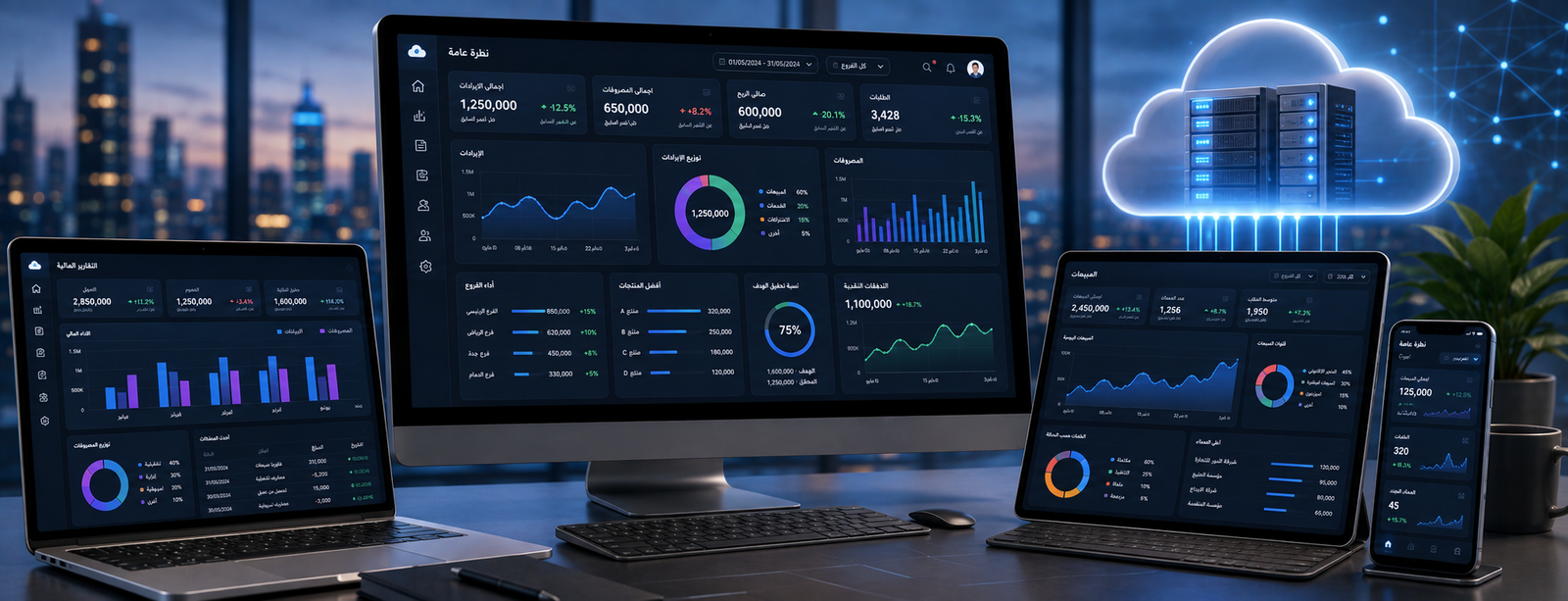
Types of Cloud Computing
Cloud computing has become an essential part of enterprise technical infrastructure. Instead of purchasing massive servers and running all software and data on-premises, organizations can utilize computing resources available over the internet, accessing them on-demand according to specified permissions and configurations.
Cloud computing services vary, including Software as a Service (SaaS), Platform as a Service (PaaS), and Infrastructure as a Service (IaaS).
In this guide, you will learn about the concept of cloud computing, its main types, core components, provided services, characteristics, and benefits, in addition to how to choose the most suitable model for your company's needs and how cloud computing is applied in accounting and business management systems.

What is Cloud Computing?
Cloud computing is a model for delivering technical resources—such as servers, storage, databases, and applications—over the network on demand, rather than owning and operating all these resources locally on-premises.
Put simply, whenever you use software running via the internet without installing its complete infrastructure on an internal company server, you are benefiting from a form of cloud computing.
Cloud resources may include:
- Servers.
- Databases.
- Storage space.
- Networks.
- Applications.
- Operating systems.
- Development tools.
- Backups.
- Analytics.
- Collaboration tools.
- Accounting and enterprise management systems.
For instance, when using an online accounting program, the accountant does not necessarily need to be seated at a physical machine located at company headquarters to access accounts; they can access the system over the internet according to their assigned permissions.
To understand the application of this concept in financial systems, you can check out Cloud Accounting System.
What are the Types of Cloud Computing?
Cloud computing types can be categorized in two main ways:
By Cloud Deployment Model:
- Public Cloud.
- Private Cloud.
- Hybrid Cloud.
- Community Cloud.
By Service Model:
- Infrastructure as a Service (IaaS).
- Platform as a Service (PaaS).
- Software as a Service (SaaS).
Understanding the distinction between these two classifications is crucial, as some confuse Public Cloud with SaaS—even though the former describes how infrastructure is deployed, while the latter describes the type of service delivered to the user.
Ready to try the system?
Start your free trial or talk to the sales team to help you choose the right solution.
Comparison of Cloud Computing Types
| Type | Infrastructure | Control Level | Relative Cost | Best Use Case |
|---|---|---|---|---|
| Public Cloud | Shared hosted by a service provider | Medium | Usually lower | SMEs and cloud-native applications |
| Private Cloud | Dedicated to a single organization | High | Usually higher | Enterprises with specialized requirements |
| Hybrid Cloud | Public + Private | High and flexible | Medium to high | Organizations with multi-faceted needs |
| Community Cloud | Shared among similar entities | Depends on the model | Variable | Sectors with shared requirements |
No single type can be described as universally best; the choice depends on data requirements, cost, security, organization size, and operational model.
Cloud Computing Services
In addition to classification by deployment model, there are three primary models for cloud computing services: IaaS, PaaS, and SaaS.
These models differ in the level of responsibility managed by the service provider versus the user.

Infrastructure as a Service (IaaS)
Infrastructure as a Service refers to delivering core IT infrastructure to an organization via the cloud.
This may include:
- Virtual servers.
- Storage capacity.
- Networking.
- Virtual machines.
- Processing resources.
Instead of purchasing a physical server and deploying it on-site, the organization rents the required resources from the service provider.
However, the organization remains responsible for other layers, such as:
- Operating systems.
- Applications.
- Certain security configurations.
- Data management.
IaaS is suitable for businesses that require a high degree of control over their technical environment without owning the physical hardware outright.
Platform as a Service (PaaS)
Platform as a Service delivers a ready environment that helps developers build, run, and manage applications without dealing with the underlying server and infrastructure maintenance.
The provider typically supplies:
- Servers.
- Operating systems.
- Runtime environments.
- Databases and database services.
- Development tools.
- Deployment tools.
This allows the development team to focus primarily on building the application itself.
PaaS is commonly used for:
- Web application development.
- Building enterprise apps.
- Software testing.
- Running APIs.
- Developing custom internal business tools.
Software as a Service (SaaS)
Software as a Service is one of the most widely adopted cloud models among users and businesses alike.
In this model, the customer receives a ready-to-use application accessible over the internet, while the provider manages the underlying infrastructure, software maintenance, and core technical updates.
Examples include:
- Cloud accounting software.
- CRM systems.
- Project management platforms.
- Email services.
- Collaboration suites.
- HR management platforms.
This model fits companies looking to leverage software immediately without managing server infrastructure or developing software from scratch.
Cloud accounting systems are among the clearest practical examples of SaaS in business, such as DigitalPlus, which enables organizations to manage accounts within a robust cloud environment.
Difference Between IaaS, PaaS, and SaaS
| Item | IaaS | PaaS | SaaS |
|---|---|---|---|
| What the customer gets | Infrastructure | Development & runtime platform | Ready-to-use software |
| Primary User | Technical teams / SysAdmins | Developers | Business end-users |
| Application Management | Customer | Customer develops it | Service provider |
| Server Management | Provider | Provider | Provider |
| Ease of Use | Requires technical expertise | Moderate | Typically highest |
| Example Use Case | Hosting a server | Building an application | Cloud accounting software |
As you transition from IaaS up to SaaS, the amount of technical infrastructure the customer needs to manage personally decreases significantly.
Components of Cloud Computing
Cloud computing comprises several building blocks working together to deliver resources and software to users.
Front End
This represents the client-facing layer that users interact with directly, such as:
- Web browsers.
- Mobile applications.
- Control panels / Dashboards.
- Software interfaces.
When an accountant logs into a cloud-based accounting system through a browser, they interact with the front-end layer.
Back End
This includes the backend architecture powering the system, such as:
- Servers.
- Databases.
- Storage systems.
- Software logic.
- Operating systems.
End users typically do not interact with this layer directly.
Network
Represents the connectivity pathway that allows users to communicate with cloud resources.
Access can be established via:
- Public internet.
- Private networks (VPNs).
- Dedicated lines.
Connection quality and reliability are therefore vital when relying on cloud apps.
Servers
Servers execute computations, run business applications, and handle user requests.
In the cloud, customers rarely require an isolated physical machine, as virtualization techniques efficiently distribute shared resources.
Cloud Storage
Used for storing:
- Databases.
- Files.
- Documents.
- Data backups.
- Images and media.
- System audit logs.
Cloud storage allows businesses to dynamically scale capacity based on actual demand.
Virtualization
Virtualization enables physical hardware resources to be utilized flexibly by creating multiple isolated virtual environments on physical servers.
It is one of the foundational technologies behind the rise of cloud computing.
Management and Monitoring Tools
Used to monitor and track:
- System performance.
- Usage rates.
- Errors and downtime.
- Capacity.
- Operational costs.
- Active users.
These tools give technical teams visibility and administrative control over the cloud environment.
Security
Encompasses safeguards such as:
- Identity and access management (IAM).
- User role permissions.
- Data encryption.
- Automated backups.
- Access logs.
- Activity monitoring tools.
Security operates as a shared responsibility between the cloud provider and the customer, depending on the service model deployed.
Ready to try the system?
Start your free trial or talk to the sales team to help you choose the right solution.
Characteristics of Cloud Computing
The characteristics of cloud computing include a set of fundamental features distinguishing it from traditional on-premise infrastructure.
On-Demand Self-Service
Users can provision and access required computing resources without acquiring new physical hardware each time.
When an enterprise needs additional storage or computing power, capacity can be expanded instantly based on the available service model.
Broad Network Access
Services are accessible over standard networks across various devices (laptops, phones, tablets) according to authorized user permissions.
Resource Pooling
The provider pools computing resources to serve multiple customers simultaneously, dynamically allocating and isolating resources as needed.
Rapid Elasticity and Scalability
Resources can scale up or down rapidly to align with demand.
This is crucial for businesses experiencing seasonal spikes or fluctuating transaction volumes.
Measured Service
Cloud systems automatically monitor and measure resource usage, enabling flexible billing based on metrics like active users, storage volume, or consumed bandwidth.
Centralized Updates
In turnkey cloud applications, providers roll out system updates and patches centrally, eliminating the need to manually install upgrades on every local workstation.
Benefits of Cloud Computing for Businesses
The benefits of cloud computing vary depending on the chosen model, but they deliver substantial operational advantages to modern organizations.
Reduced Infrastructure Capital Investment
Enterprises can leverage cloud resources rather than spending heavily upfront on high-end servers and on-premise data center equipment.
While this does not mean the cloud is always cheaper, it significantly lowers initial capital expenditure (CapEx).
Seamless Scalability with Business Growth
You can easily add:
- Users.
- Storage capacity.
- Compute processing power.
- Supplementary services.
All without redesigning your entire technical architecture.
This is especially critical for startups and growing SMEs whose long-term resource needs are evolving.
Anywhere Accessibility
Authorized users can access cloud-based systems from:
- The main office.
- Branch locations.
- Home.
- Smartphones.
- Tablets.
This empowers distributed teams working across multiple locations.
Support for Multi-Branch Companies
Instead of maintaining disjointed local databases at each branch, a cloud system provides a unified, centralized platform consolidating data with structured permissions.
Rapid Deployment Speed
Businesses can deploy and start using SaaS platforms in a fraction of the time required to build and configure custom servers locally.
Data Backup and Business Continuity
Most cloud solutions incorporate automated backup mechanisms and disaster recovery capabilities; however, organizations should always review provider policies to ensure alignment with their recovery time objectives.
Enhanced Team Collaboration
The cloud allows multiple team members to work on a single centralized data source with defined access levels, eliminating version conflict issues caused by sharing duplicate files.
Continuous Updates
Providers push ongoing software improvements and regulatory patches centrally, removing the operational burden of manually upgrading individual user devices in SaaS models.
Cloud Computing Benefits for Accounting
The true value of the cloud is especially prominent in financial and accounting systems.
Rather than confining bookkeeping to a single physical computer, cloud accounting enables businesses to:
- Access financial books securely from anywhere.
- Monitor branch transactions in real time.
- Issue compliant invoices instantly.
- Record operational expenses on the go.
- Manage client and vendor records centrally.
- Generate real-time financial statements.
- Track sales performance dynamically.
- Facilitate smooth collaboration between accountants and executive management.
- Ensure financial records are perpetually synchronized in one central database.
Read also: Digital Accounting and its role in developing accounting information systems.
Challenges of Cloud Computing
Despite its advantages, migrating to cloud computing requires structured planning.
Dependency on Internet Connectivity
Most cloud services require continuous network access; poor connection quality directly affects user productivity.
Key considerations include:
- Bandwidth and connectivity prerequisites.
- Offline handling procedures during outages.
- Availability of hybrid or offline modes.
Data Security and Governance
Because cloud systems often hold confidential company data, organizations must assess:
- Data encryption protocols (in transit and at rest).
- Granular user permission matrices.
- Authentication standards (e.g., MFA).
- Backup frequency and redundancy.
- Access and audit logging.
- Data security policies.
Security is not solely the provider's responsibility; weak passwords or credential sharing by internal staff can expose the system to vulnerabilities.
Vendor Lock-in
Companies must understand exit protocols if they decide to switch systems later.
Always verify:
- Can data be exported easily?
- What export formats are supported (CSV, JSON, SQL)?
- How is the migration handled?
- What is the data retention window after contract termination?
Regulatory Compliance and Data Sovereignty
Many industries face stringent regulatory guidelines regarding:
- Geographic data residency / storage locations.
- Access restrictions and controls.
- Data retention mandates.
- Privacy regulations.
- Disaster recovery readiness.
It is essential to review service level agreements (SLAs) and compliance policies before hosting critical records in the cloud.
Ready to try the system?
Start your free trial or talk to the sales team to help you choose the right solution.
How to Choose the Right Cloud Computing Model for Your Business?
Start with your practical operational needs rather than buzzwords.
Choose Public Cloud when:
- You want rapid deployment with low setup time.
- You do not want to manage hardware or servers.
- You require a turnkey SaaS solution.
- You need elastic scalability.
- You do not have strict policies requiring an entirely isolated infrastructure.
Choose Private Cloud when:
- You require maximum control over data and systems.
- You operate under strict internal governance or compliance policies.
- You need custom infrastructure configurations.
- You run sensitive workloads requiring dedicated hardware.
Choose Hybrid Cloud when:
- You need to balance scalability with tight security controls.
- You cannot migrate all legacy systems to the public cloud at once.
- You wish to keep critical records on-premise while leveraging the cloud for apps.
- You operate a mix of legacy and modern cloud software.
Choose SaaS when:
You need ready-to-run business applications such as:
- Accounting.
- CRM.
- Project Management.
- Email & Communication.
- Human Resources.
Choose PaaS when:
You need to build and deploy custom applications without managing the underlying server environment.
Choose IaaS when:
You need raw cloud computing resources and servers with total control over system configuration.
Cloud Computing and Corporate Digital Transformation
Cloud computing is not an end goal in itself; rather, it is a key driver enabling organizations to undergo agile digital transformation.
Instead of relying on:
- An isolated sales program.
- A standalone spreadsheet for inventory.
- An accounting software installed on a single office PC.
- Manually compiled financial reports.
Companies can connect unified systems where data flows seamlessly between departments in real time.
The true power of the cloud emerges when connecting:
- Accounting.
- Sales.
- Inventory.
- Customer Management.
- Branches.
- E-Commerce.
- Analytics & Reporting.
Thus, technology becomes a mechanism to transform management efficiency rather than merely changing server locations.
Cloud Computing and Accounting Software
One of the most impactful practical applications of cloud computing is cloud accounting software.
This allows businesses to manage financial operations entirely via the web, including:
- General Ledger & Accounts.
- Invoicing.
- Customers.
- Vendors & Suppliers.
- Sales Orders.
- Expenses.
- Financial Reports.
It is especially well-suited for businesses that:
- Operate across multiple branches or stores.
- Have remote or field-based team members.
- Require executives to review real-time reports remotely.
- Cannot risk relying on a single physical accounting PC.
- Seek a future-proof, scalable software solution.
You can explore this model in practice with DigitalPlus, part of AamalSoft's cloud accounting solutions.
You can also review the guide on Online Accounting Software to understand the difference between traditional bookkeeping and cloud-powered management.
What Should You Check Before Choosing Cloud Software?
Before migrating company accounts or business data to cloud software, evaluate the following factors:
Security
- Are granular user permissions available?
- Does it enforce strong password and MFA policies?
- Are detailed user audit trails and logs recorded?
- How is data encrypted in transit and at rest?
Data Backup
- What is the automated backup frequency?
- Where are backup files physically stored?
- What is the recovery procedure in case of failure?
- What is the estimated recovery time objective (RTO)?
Accessibility
- Can the platform be used from mobile devices?
- Does it support multi-branch management seamlessly?
- Can role-specific access permissions be configured for each employee?
Reporting
Verify support for key financial statements:
- Income statement (Profit & Loss).
- Trial balance.
- Customer and vendor statement of accounts.
- Sales summaries.
- Inventory valuation and movement.
- Expense tracking.
Data Migration
Ask how existing data will be imported, including:
- Customers.
- Suppliers.
- Products and SKUs.
- Opening balances.
- Chart of accounts.
Scalability
Inquire about the cost and procedure for adding:
- Additional users.
- New branches.
- Warehouses.
- Subsidiary companies.
Frequently Asked Questions About Cloud Computing
What are the types of cloud computing?
The main types by deployment model are Public Cloud, Private Cloud, Hybrid Cloud, and Community Cloud. By service delivery model, they are categorized into IaaS, PaaS, and SaaS.
What is the difference between Public and Private Cloud?
A Public Cloud utilizes infrastructure provided by a third party and shared among multiple tenants, whereas a Private Cloud is dedicated entirely to a single organization, offering greater control and isolation over the environment.
What is a Hybrid Cloud?
A Hybrid Cloud combines both public and private cloud environments, allowing organizations to run specific workloads and store sensitive data across environments based on their operational and regulatory requirements.
What are the primary cloud computing services?
The primary services are:
- IaaS: Infrastructure as a Service.
- PaaS: Platform as a Service.
- SaaS: Software as a Service.
What is the most common cloud model used by businesses daily?
SaaS is the most widespread model for day-to-day operations, including turnkey cloud applications such as accounting software, CRM platforms, and team collaboration suites.
What are the main components of cloud computing?
Key components include the front-end user interface, backend infrastructure (servers and databases), networking, cloud storage, virtualization technology, and administrative/security management tools.
What are the key characteristics of cloud computing?
Key characteristics include on-demand self-service, broad network access, resource pooling, rapid elasticity/scalability, and measured resource billing.
What are the main benefits of cloud computing?
Benefits include reducing initial capital investment in hardware, seamless scalability, remote accessibility, enhanced team collaboration, and rapid software deployment.
Is cloud computing secure?
Cloud systems offer advanced enterprise security standards; however, overall protection depends on the service provider's safeguards, configuration settings, user security practices, and internal company policies. Always assess security, backups, and permissions before choosing a provider.
Is cloud accounting software suitable for businesses?
Yes, especially for companies needing multi-location access, remote work capabilities, and centralized multi-branch oversight. However, functional accounting features, reporting depth, security, and total cost of ownership should be assessed prior to selection.
Conclusion
Understanding the different types of cloud computing enables organizations to select the right technical infrastructure aligned with their business objectives. Public clouds deliver speed and cost flexibility, private clouds offer dedicated control, and hybrid clouds blend both approaches.
Furthermore, distinguishing between deployment models and service models is essential: IaaS provides foundational infrastructure, PaaS accelerates software development, and SaaS delivers ready-to-use business software such as cloud accounting platforms.
The principal benefits of cloud adoption lie in agility, scalable resources, universal access, and reduced local maintenance overhead. Successful migration hinges on choosing the appropriate service model and reviewing security standards, costs, backup protocols, and disaster recovery plans.
If your priority is transitioning your accounting and management processes to an agile cloud environment, explore AamalSoft Software Solutions and discover DigitalPlus as a cloud accounting system designed to help businesses manage accounts seamlessly in a digital environment.
You can also request a demo to test the platform and evaluate its alignment with your business workflow before making the transition to the cloud.
Start Managing Your Business with Complete Flexibility
Try AamalSoft for free. Start issuing ZATCA-compliant electronic invoices within minutes.
- Free trial without a credit card
- 24/7 technical support
- ZATCA compliant