
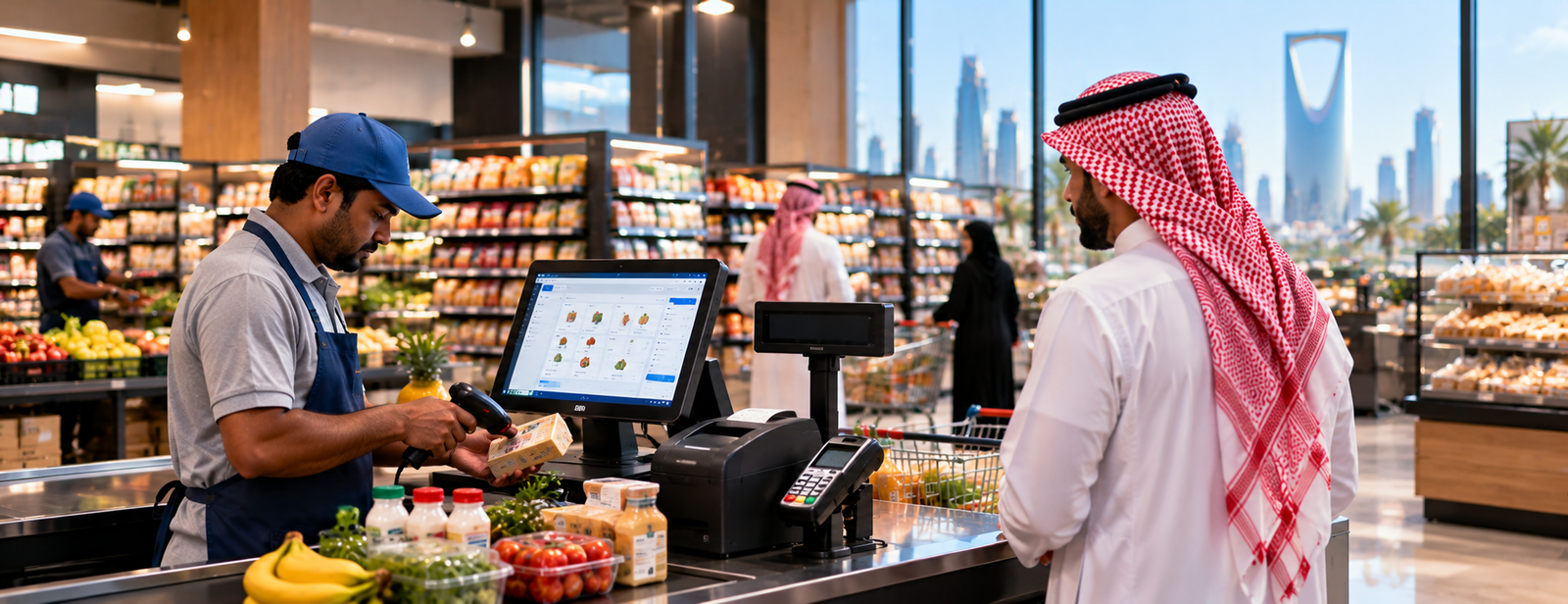
POS System Prices in Saudi Arabia
The price of a POS system in Saudi Arabia is not limited to the price of a single device. The cost usually consists of point-of-sale software, a POS terminal, a printer, a barcode scanner, and any additional screens or devices the business needs.
That is why, when a store or restaurant owner asks us at AamalSoft how much a POS system costs, we do not start with the price straight away. Instead, we ask: How many branches do you have? How many POS terminals? Do you have inventory? Do you need barcode functionality? Is the business a store or a restaurant? And do you want to connect the POS system to accounting, purchasing, and reports?
The right system should work as follows:
Sale → Invoice → Payment Method → Inventory → Accounting → Cashier Shift → Reports
The accounting and sales system from AamalSoft provides a POS interface connected to sales, inventory, suppliers, warehouses, accounting, and reports, with support for multiple payment methods, returns, and permissions.
How Much Does a POS System Cost in Saudi Arabia?
There is no fixed price for all businesses, and the system's cost can be divided into four main components:
| Component | What Are You Paying For? |
|---|---|
| POS Software | Sales, invoices, and reports |
| POS Terminal | The screen and device on which the software runs |
| Accessories | Printer, barcode scanner, cash drawer, customer display |
| Services | Installation, setup, training, support, and integrations |

Is the Price of POS Software the Same as the Price of the Hardware?
No.
This is one of the most common sources of confusion when comparing offers.
POS Software
It is the system that manages:
- Products.
- Prices.
- Sales transactions.
- Discounts.
- Taxes.
- Payment methods.
- Returns.
- Shifts.
- Inventory.
- Reports.
POS Hardware
It is the device on which the software runs, and it may be:
- A touchscreen POS computer.
- An All-in-One device.
- An Android POS device.
- A tablet.
- A desktop computer, depending on the system.
You may therefore find a low-priced offer because it includes only the software, while another offer includes the device, printer, barcode scanner, and cash drawer.
Discover: POS Devices and Digital Displays
How Much Does a POS Terminal Cost?
POS device prices vary depending on the processor, memory, screen, operating system, and whether a printer or second screen is included.
In market examples currently published in Saudi Arabia, some handheld POS devices are listed at around SAR 690–730, while touchscreen All-in-One devices range from approximately SAR 1,700 to more than SAR 3,000, depending on the specifications. Complete bundles that include a device, printer, cash drawer, and barcode scanner exceed SAR 3,300. These are changing market examples, not standardized prices for the sector.
That is why we recommend not buying the hardware first and then looking for software that runs on it. Choose the system first, then confirm the compatible hardware specifications.
You can review the guide to the Best POS Device in Saudi Arabia to learn which specifications to compare before buying the device.
Which Devices Are Included in the Cost of a POS System?
Not all businesses need the same equipment.
The system may consist of:
- A POS terminal.
- A touchscreen.
- A thermal receipt printer.
- A barcode scanner.
- A cash drawer.
- A customer display.
- An electronic scale for certain businesses.
- A bank payment terminal.
- A KDS kitchen display in restaurants.
A small clothing store therefore does not necessarily need the same equipment as a restaurant or supermarket.
AamalSoft offers the Digital H6 POS POS terminal as an All-in-One device that can be evaluated for running POS systems, with a main screen and the option to add a customer display.
Ready to Try the System?
Start your free trial or talk to the sales team for help choosing the right solution.
What Increases the Price of a POS System?
1. Number of POS Terminals
A branch with one device differs from a supermarket that needs ten checkout terminals.
You may need a license, device, or accessories for each point of sale, depending on how the system is priced.
2. Number of Branches
As the number of branches increases, so does the need for:
- Centralized management.
- Permissions.
- Comparative reports.
- Inventory for each branch.
- Item transfers.
- Additional users.
You should therefore ask: Does the package price include one branch or several branches?
3. Inventory Management
A POS system that only prints an invoice is less complex than a system that performs the following after a sale:
Reduce Inventory → Record Cost → Update Profits → Update Accounts
If your business has a large number of products, we do not recommend choosing a POS system that is separate from inventory to save a small amount and then relying on Excel later.
The Warehouse Management guide explains the importance of linking item movements to sales and purchases.
4. Accounting Integration
You may have POS software that is excellent at handling sales, but the employee needs to send a daily report to the accountant so that the sales can be re-entered into another program.
You now have two systems instead of one.
Before comparing prices, you should therefore ask:
Does the sales invoice automatically transfer to accounting and reports?
DigitalPro combines POS, accounting, inventory, sales, and purchasing in one system, reducing the need to re-enter sales data.
5. Business Type
Retail POS
It usually needs:
- Barcode functionality.
- Products.
- Inventory.
- Promotions.
- Returns.
- Payment methods.
- Shift reports.
Restaurant POS
The functions increase, and it may need:
- Tables.
- Dine-in orders.
- Takeaway.
- Delivery.
- Bill splitting.
- Routing orders to the kitchen.
- KDS.
- Recipes and meal costs.
That is why a restaurant system may cost more than a simple POS system for a store.
The Restaurant and Café Management System provides dedicated functions for managing orders, tables, the kitchen, invoices, and points of sale.
How Do You Calculate the True Cost of a POS System?
Use this formula:
Actual Cost = Software + POS Terminal + Printer + Barcode Scanner + Cash Drawer + Additional Screens + Branches + Users + Integrations + Training and Support if Charged
An example comparing two offers:
| Item | First Offer | Second Offer |
|---|---|---|
| POS Software | Low | Higher |
| Inventory | Paid add-on | Included |
| Accounting | Not available | Included |
| Additional Users | Charged separately | Included |
| POS Terminal | Separate | Included in the offer |
| Training | Separate | Included |
| Decision | Requires calculating the full cost | Requires calculating the full cost |
The first offer may seem cheaper initially, but it becomes more expensive after adding the required functions.

How Do You Choose a Suitable POS System Before Knowing the Price?
Before requesting a quotation, determine:
- The nature of the business.
- The number of branches.
- The number of POS terminals.
- The number of products.
- Do you need inventory management?
- Do you need barcode functionality?
- Do you need accounting?
- Is there an online store?
- Do you need a customer display?
- Do you need a kitchen or KDS?
- How many users are there?
- Which reports are required?
Then request a price based on the same specifications from each provider.
For more information, you can review the guide to Points of Sale and Choosing POS Software.
Is There a Fixed Price for DigitalPro?
The current DigitalPro page does not display a standard price for all businesses because the required setup varies depending on the number of POS terminals, branches, warehouses, functions, and devices.
AamalSoft Software Company offers the option to try the system and contact sales to identify the right solution, while DigitalPro's functions include a point-of-sale interface, multiple payment methods, discounts, returns, purchasing, inventory, suppliers, and financial and accounting reports.
This means the most suitable pricing is based on the business's actual needs rather than one package for all establishments.
When Does a Cheap POS System Become Expensive?
A low-priced system may become expensive when, after a while, you have to:
- Buy separate inventory software.
- Buy another accounting program.
- Enter sales manually.
- Replace the hardware.
- Migrate data.
- Pay fees for each add-on.
- Buy additional licenses for branches.
- Retrain employees when changing the system.
You should therefore consider the cost of use over several years, not just the amount of the first invoice.
Ready to Try the System?
Start your free trial or talk to the sales team for help choosing the right solution.
Common Mistakes When Comparing POS System Prices
Mistakes we recommend avoiding include:
- Asking about the hardware price without the software.
- Asking about the software price without the accessories.
- Buying the hardware before confirming compatibility.
- Choosing the cheapest option without testing inventory management.
- Ignoring the price of additional branches.
- Not asking about the number of users.
- Ignoring training costs.
- Not testing returns.
- Not checking reports.
- Comparing a restaurant system with a simple retail system.
Frequently Asked Questions About POS System Prices
How Much Does a POS System Cost in Saudi Arabia?
It varies depending on the software, hardware, and accessories, as the system includes POS software, a printer, and a POS terminal
What Is the Difference Between POS Hardware and POS Software?
The hardware is the equipment on which the system runs, while the software manages products, sales, invoices, inventory, and reports.
Do I Need Accounting Software with the POS System?
If you want to connect sales to accounting, inventory, profits, and purchasing, it is better to use a POS system integrated with accounting instead of manually re-entering transactions.
How Much Does a Restaurant POS System Cost?
It depends on the number of devices and branches, as well as table, kitchen, KDS, delivery, and inventory functions. The cost therefore usually differs from that of a simple retail POS system.
Conclusion
When looking for POS system prices, do not compare just one figure.
The right question is:
What is the cost of the complete POS setup my business needs?
Calculate:
Software + POS Terminal + Printer + Barcode Scanner + Cash Drawer + Users + Branches + Inventory + Accounting + Integrations
Free software may be the most suitable option for a very small business, while stores and restaurants with inventory, branches, and multiple users need a more integrated system.
That is why AamalSoft provides DigitalPro for Accounting and Point of Sale to connect the POS system to sales, inventory, purchasing, accounting, and reports, with the option to evaluate Digital H6 POS as one of the available POS devices.
You can also explore AamalSoft's solutions, then request a trial and test sales, barcode functionality, returns, inventory, and reports before determining the cost of the right POS system for your business.
Start Managing Your Business with Complete Flexibility
Try AamalSoft for free. Start issuing your ZATCA-compliant electronic invoices within minutes.
- Free trial with no credit card required
- 24-hour technical support
- ZATCA compliant