
Best Accounting Software in Saudi Arabia
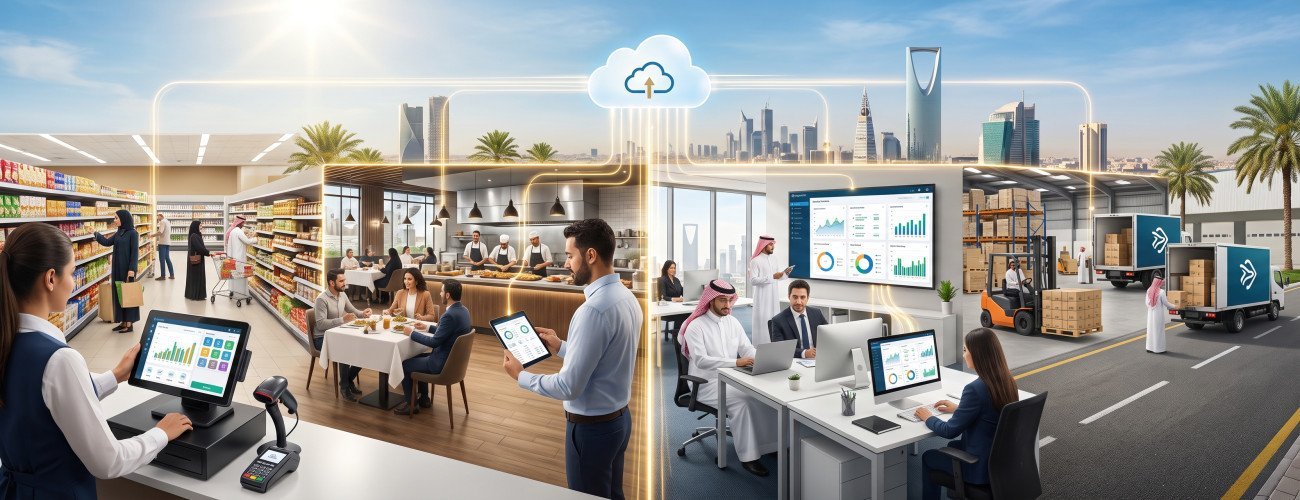
Choosing the best accounting software in Saudi Arabia does not depend solely on the software's popularity or low price, but on how well the system matches the nature of the business, its volume of operations, the number of employees, branches, and warehouses, and its ability to manage accounting, sales, purchases, inventory, taxes, and reports within an interconnected system.
The needs of a retail store differ from those of a restaurant, and a service company differs from a distribution company. A company operating from a single location may also not need the same infrastructure as a business with multiple branches.
Therefore, the best accounting software is the software that solves day-to-day operational problems and provides management with accurate figures that can be relied on for decision-making, with the ability to scale as the business grows.
Aamal Soft offers DigitalPro an accounting and point-of-sale system, alongside DigitalPro Cloud a cloud accounting system for companies that prefer a cloud accounting environment and online access to their data.

What Is the Best Accounting Software in Saudi Arabia?
The best accounting software in Saudi Arabia is a system that connects financial and operational processes within a single database and covers accounting, sales, purchases, customers, suppliers, inventory, taxes, and reports according to the business's needs.
The most important functions that the best accounting software should provide include:
- Chart of accounts and journal entries.
- Sales and purchases.
- Customers and suppliers.
- Revenue and expenses.
- Inventory and warehouses.
- Point of sale when needed.
- Value-added tax.
- Electronic invoicing.
- Returns.
- Cash and banks.
- User permissions.
- Branch management.
- Financial and management reports.
If the company is small, this does not mean settling for limited software. It is better to choose a system that can scale in the future.
You can review the guide to the best accounting software for small businesses in Saudi Arabia.
What Are the Most Important Criteria for Choosing the Best Accounting System for Companies?
The best accounting system for companies can be evaluated using the following criteria:
| Criterion | What Should the System Provide? |
|---|---|
| Accounting | Entries, accounts, and financial statements |
| Sales | Invoices, customers, collections, and returns |
| Purchases | Suppliers, invoices, and payments |
| Inventory | Items, warehouses, quantities, and cost |
| Taxes | Value-added tax and reports |
| Electronic invoicing | Support for the requirements applicable to the business |
| Point of sale | POS management when needed |
| Reports | Sales, profits, inventory, and accounts |
| Branches | Managing multiple locations |
| Permissions | Defining each user's access |
| Scalability | Adding users, branches, and functions |
The more interconnected these components are, the less need there is to enter the same transaction more than once.
You can explore DigitalPro as an integrated accounting system to learn how accounting, sales, inventory, and point of sale can be combined.
What Is the Difference Between On-Premises and Cloud Accounting Software?
One of the most important decisions when choosing the best accounting system in Saudi Arabia is determining whether the company needs an on-premises or cloud system.
On-premises accounting software (an offline accounting system) usually operates within the business's own technical environment, on its devices or servers.
Meanwhile, cloud accounting software (online) operates over the internet and is accessed from authorized devices and locations.
| Comparison | On-Premises Software | Cloud Software |
|---|---|---|
| Operating location | The business's devices or servers | Cloud environment |
| Remote access | Requires appropriate setup | One of its main advantages |
| Working from multiple locations | Requires infrastructure and connectivity | More flexible |
| Updates | Within the business's environment | Usually handled centrally |
| Technical infrastructure | Greater responsibility for the business | A greater share handled by the service provider |
| Branches | Requires appropriate preparation | Suitable for centralized management |
| Internet dependence | Lower, depending on how it operates | Usually higher |
| Local points of sale | Suitable for environments with many devices | Depends on the system's design |
| Scalability | Requires infrastructure planning | More flexible in many cases |
Ready to Try the System?
Start your free trial or speak with the sales team to help you choose the right solution.
When Is On-Premises Software Suitable?
It is suitable when the business relies heavily on:
- An internal network.
- A large number of cash registers.
- Local integrations.
- Intensive operations at a specific location.
- Technical infrastructure available within the company.
For this reason, DigitalPro can be presented as an integrated accounting system for businesses that need accounting, inventory, and point of sale within an integrated operating environment.
When Is Cloud Software Suitable?
The best cloud accounting software is more suitable when the company needs to:
- Manage the business from outside the office.
- Have users work from different locations.
- Monitor multiple branches.
- View reports remotely.
- Work from different devices.
- Expand more flexibly.
Here, DigitalPro Cloud can be evaluated as a cloud accounting system.
Neither on-premises nor cloud software is universally better; the best choice is the one that suits how the company operates.
Contact our team now to help you choose which system is more suitable for your business
Best Accounting Software by Business Type
This comparison is important because choosing software should begin with the workflow, not a list of features.
| Business Type | Key Needs | Suitable Solution to Evaluate |
|---|---|---|
| Retail and supermarkets | Point of sale, barcodes, inventory, promotions | DigitalPro |
| Restaurants and cafés | Orders, tables, kitchen, inventory | DigitalPro for Restaurants |
| Service companies | Invoices, customers, expenses, reports | DigitalPro Cloud / DigitalPro |
| Distribution companies | Warehouses, suppliers, customers, collections | DigitalPro |
| Small businesses | Invoices, expenses, reports | DigitalPro Cloud |
| Companies with multiple branches | Centralized management, permissions, reports | DigitalPro Cloud / DigitalPro |
Best Accounting Software for Retail Stores and Supermarkets
Retail stores need business accounting software that can handle a large volume of daily sales transactions.
The most important functions include:
- Point of sale.
- Barcodes.
- Product management.
- Warehouses.
- Promotions and discounts.
- Returns.
- Different payment methods.
- Sales reports.
- Updating inventory upon sale.
The Digital pro system provides accounting, inventory, and point of sale within a single system.
You can also review the guide to the best point-of-sale software.
Best Accounting System for Restaurants and Cafés
A restaurant needs to connect accounting with operational processes such as:
- Orders.
- Tables.
- The kitchen.
- Takeaway and delivery.
- Raw materials.
- Recipes.
- Meal costs.
- Point of sale.
- Inventory.
- Sales and profits.
For this reason, a specialized system is more effective than general accounting software that does not understand the nature of restaurant operations.
Aamal Soft offers the restaurant and café management system Digital pro.
You can also read the guide to restaurant accounting.
Best Accounting Software for Service Companies
Service companies usually do not need complex inventory management, but they do need:
- Customer invoices.
- Expenses.
- Revenue.
- Collections.
- Banks and cash.
- Value-added tax.
- Financial reports.
- User permissions.
When managers or accountants work from different locations, a cloud accounting system becomes the suitable choice.
Best Accounting Software for Distribution and Wholesale Companies
Distribution companies need a more powerful system for managing:
- Suppliers.
- Customers.
- Credit sales.
- Collections.
- Warehouses.
- Transfers between warehouses.
- Purchases.
- Returns.
- Product costs.
- Item movements.
For this reason, connecting accounting and inventory becomes essential.
You can learn more through the guide to warehouse management.
Best Accounting Software for Small Businesses
The best accounting software for small businesses should strike a balance between ease of use and scalability.
The most important needs of small businesses include:
- Invoices.
- Expenses.
- Customers.
- Suppliers.
- Tax.
- Reports.
- Inventory when needed.
Many small businesses benefit from cloud systems because they make accessing accounts easier without the need to build extensive internal technical infrastructure.
Also discover: The Best Accounting Software for Small Businesses in Saudi Arabia
Best Accounting Software for Companies with Multiple Branches
When a business has multiple branches, the priorities become:
- Managing all branches from a centralized system.
- Different permissions for each manager.
- Separate inventory for each branch.
- Branch-specific and consolidated reports.
- Monitoring sales.
- Transfers between warehouses.
- Comparing branch performance.
In this case, the system's flexibility and scalability are more important than searching for the lowest price.
DigitalPro or DigitalPro Cloud?
The choice can be simplified as follows:
| Item | DigitalPro | DigitalPro Cloud |
|---|---|---|
| System type | Integrated accounting and operations system | Cloud accounting system |
| Accounting | Yes | Yes |
| Inventory | Yes | Yes |
| Point of sale | One of its strengths | Depending on the operating environment |
| Retail | Very suitable | Suitable depending on the business |
| Restaurants | Through the specialized solution | Depending on the need |
| Service companies | Suitable | Very suitable |
| Distribution | Very suitable | Suitable depending on the needs |
| Online access | Depends on the operating environment | Fundamental |
| Multiple locations | Possible depending on the system | More flexible |
If your business relies heavily on points of sale, devices, and inventory within branches, DigitalPro may be more suitable.
However, if the priority is access from anywhere and managing users and branches online, the DigitalPro Cloud accounting system may be more appropriate.
Ready to Try the System?
Start your free trial or speak with the sales team to help you choose the right solution.
What Is Meant by Approved Accounting Software in Saudi Arabia?
Many users search for approved accounting software in Saudi Arabia or accounting software approved by the General Authority of Zakat and Tax.
The authority's current name is the Zakat, Tax and Customs Authority. When choosing a system, the more accurate approach is to ensure that the electronic invoicing solution used complies with the requirements applicable to the business, rather than relying on a general marketing description such as "approved."
For this reason, it is also important to review the guide to electronic invoicing software and the guide to approved accounting software in Saudi Arabia.
How Important Is Value-Added Tax When Choosing Software?
The software should support:
- Tax settings.
- Taxable sales and purchases.
- Input and output tax.
- Discounts.
- Returns.
- Reports.
- Invoices.
You can review the guide to how to calculate value-added tax to understand the tax operations the system should perform.
Accounting Software Prices in Saudi Arabia
Accounting software prices in Saudi Arabia vary according to several factors, most importantly:
- The number of users.
- Branches.
- Warehouses.
- Points of sale.
- Whether the system is on-premises or cloud-based.
- Required functions.
- Integrations.
- Training.
- Technical support.
- Devices.
- Data migration.
Therefore, you should not compare only the subscription or license price.
The true cost = software + devices + operations + support + integrations + any additional systems you need.
For this reason, an integrated system may have a higher initial price but cost less in the long term than using several separate programs.

How Do You Test the Best Accounting Software Before Buying?
Before making a decision, carry out a real scenario within the system:
- Create a customer and a supplier.
- Record a sales invoice.
- Record a purchase invoice.
- Process a return.
- Review the tax.
- Test collections and payments.
- Review inventory.
- Generate a customer account statement.
- Generate an income statement.
- Try another user's permissions.
- Test an additional warehouse or branch.
- Try logging in from outside the office if you are testing a cloud system.
- Test the point of sale if your business needs it.
- Evaluate the ease of obtaining technical support.
After this trial, you will have a clearer understanding of whether the system truly suits your company.
Frequently Asked Questions About the Best Accounting Software in Saudi Arabia
What Is the Best Accounting Software in Saudi Arabia?
It is a system that matches the nature of the company's business and connects accounting with sales, purchases, inventory, taxes, and reports, while offering scalability.
What Is the Best Accounting System for Companies?
The best accounting system for companies is one that reduces manual entry, unifies departmental data, and provides management with accurate financial and operational reports.
What Is the Difference Between On-Premises and Cloud Accounting Software?
On-premises software usually operates within the business's environment, while cloud software operates over the internet and makes access from different locations and devices easier.
What Is the Best Cloud Accounting Software?
It is a system that provides accounting, reports, permissions, and branch management with easy online access. Companies seeking this flexibility can evaluate DigitalPro Cloud.
What Is the Best Accounting Software for Small Businesses?
It is an easy-to-use, scalable system that supports invoices, customers, suppliers, expenses, tax, and reports, with inventory when needed.
Is DigitalPro Suitable for Companies in Saudi Arabia?
DigitalPro is worth evaluating for companies that need to integrate accounting, sales, purchases, inventory, point of sale, and reports within a single system.
Is There One Accounting Program Suitable for All Business Types?
No. Priorities differ between retail, restaurants, services, distribution, and companies with multiple branches. Therefore, the system should be chosen according to the business's actual workflow.
Conclusion
Choosing the best accounting software in Saudi Arabia begins with understanding the business's needs before comparing software names and prices.
A retail store needs point of sale, inventory, and barcodes; a restaurant needs order and raw material management; and a distribution company needs warehouses, customers, and suppliers. Meanwhile, a service company needs invoice, expense, and collection management, and companies with multiple branches need permissions, centralized management, and unified reports.
The appropriate operating environment should also be chosen. On-premises software may be better suited to businesses that rely on devices, points of sale, and a strong internal network, while the best cloud accounting software offers greater flexibility for companies that need access from multiple locations.
Aamal Soft offers the integrated DigitalPro accounting software for accounting, inventory, and point of sale, alongside the DigitalPro Cloud accounting software for companies that want a cloud accounting environment.
You can explore Aamal Soft's solutions, then request a trial and test the system with a real workflow before choosing the final solution for your company.
Start Managing Your Business with Complete Flexibility
Try Aamal Soft for free. Start issuing your ZATCA-compliant electronic invoices within minutes.
- Free trial with no credit card
- 24-hour technical support
- ZATCA-compliant