
E-Invoicing: A Companies' Guide to Digital Transformation
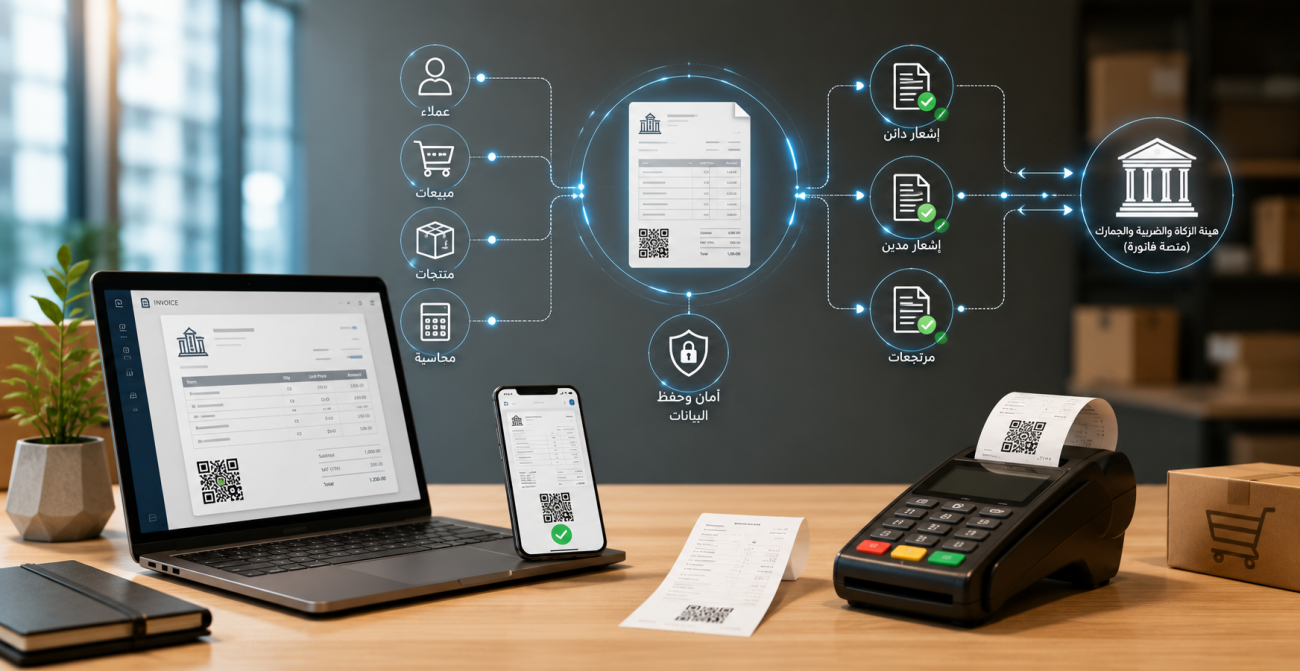
E-invoicing has become an essential part of sales and accounts management in Saudi Arabia. Issuing paper invoices or preparing them manually using Word or Excel is no longer sufficient to comply with e-invoicing requirements. Establishments require an organized technical solution that issues invoices and related credit/debit notes, stores them in the required format, and supports integration with the Zakat, Tax and Customs Authority (ZATCA) platform when entering Phase Two.
Transitioning to electronic invoicing is not limited to changing the appearance of an invoice; it encompasses organizing customer, sales, and tax data, securing sequential accounting numbers, managing returns and adjustments, and preparing POS terminals and branches.
This guide explains what e-invoicing is, its types, components, obligated parties, registration and integration processes, and how to issue an invoice. It also covers building a QR code, avoiding common technical mistakes, and selecting the right e-invoicing software for your business.
What is an E-Invoice?
An electronic invoice is an invoice issued and saved in a structured electronic format via a technical system, containing all required tax invoice elements. A hand-written invoice, a scanned copy of a paper invoice, or an invoice generated in a text-processing program and converted to PDF does not fulfill the definition of an compliant e-invoice under the system.
The meaning of e-invoicing lies in transforming the issuance of invoices, credit notes, and debit notes from a paper-based or manual process into an organized electronic system. This allows data creation, processing, storage, and exchange between the buyer and seller in a specified technical format.
The e-invoicing ecosystem consists of three interconnected elements:
- The e-invoice or electronic note.
- The system or device that issued the document.
- Storage, security, and integration mechanisms with the Fatoora platform when Phase Two is implemented.
It is not enough for an e-invoicing software to produce an organized visual design or a PDF file; it must store invoice data systematically, protect invoice sequencing, prevent unauthorized modifications or deletions, and comply with the technical requirements applicable to the enterprise.
Discover: An approved accounting system on the list of qualified e-invoicing solution providers.
Types of E-Invoices
Electronic invoices in Saudi Arabia are divided into two main types: Tax Invoices and Simplified Tax Invoices. The type used depends primarily on the nature of the customer and transaction, rather than solely on the size of the business.
Tax Invoice
A Tax Invoice is issued for business-to-business (B2B) transactions and contains details about the seller, buyer, tax breakdown, and supply details.
Key required details include:
- Seller's business name and address.
- Seller's VAT registration number.
- Buyer's name and required details.
- Buyer's VAT number (where applicable).
- Invoice issuance date.
- Sequential invoice number.
- Description of goods or services.
- Quantity and unit price.
- Discounts, if any.
- Taxable amount.
- VAT rate and amount.
- Total amount before and after tax.
During Phase Two (Integration Phase), standard tax invoices undergo clear-and-grant authorization by ZATCA before being shared with the client, according to the applicable requirements.
Simplified Tax Invoice
A Simplified Tax Invoice is issued for business-to-consumer (B2C) transactions. It is widely used in retail stores, supermarkets, restaurants, cafes, pharmacies, and direct consumer sales.
It typically includes:
- Document title.
- Seller's name.
- Seller's VAT registration number.
- Date and time of issuance.
- Sequential number.
- Details of products or services.
- VAT amount.
- Total amount inclusive of VAT.
- QR Code.
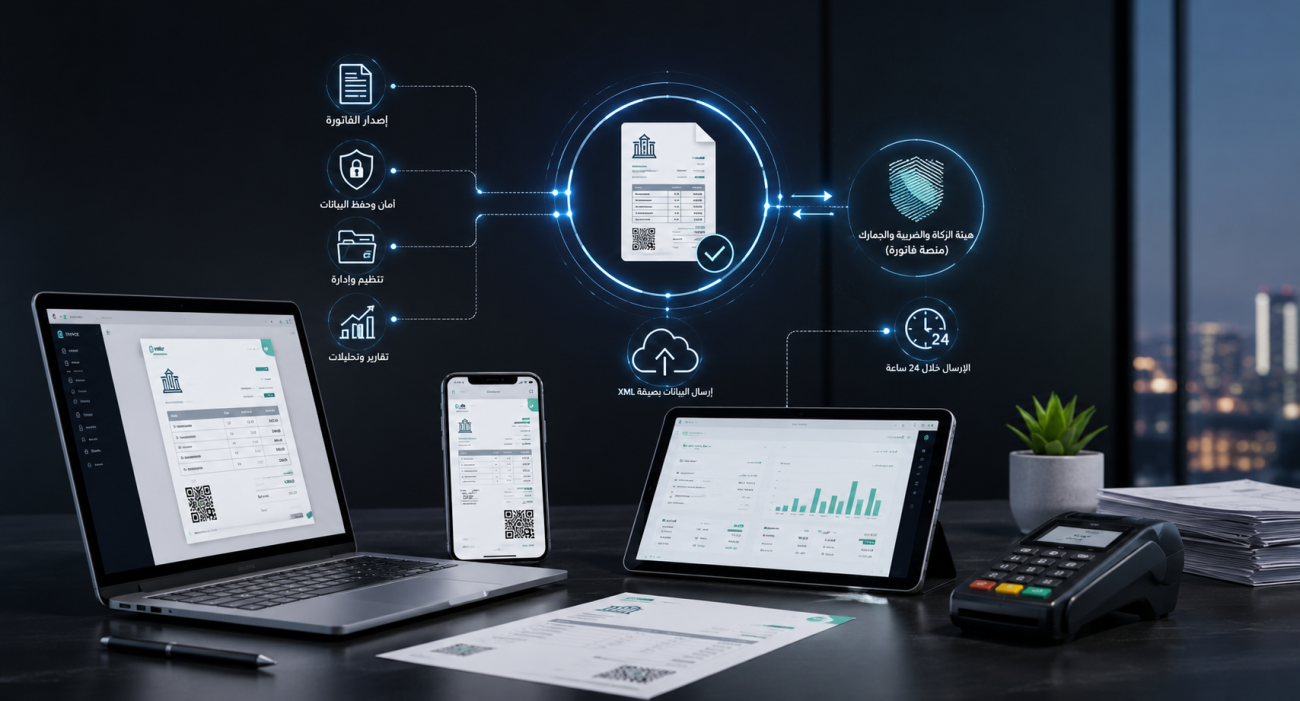
In Phase Two, simplified tax invoices must be generated from a configured technical solution, and its data submitted in XML format to ZATCA's Fatoora platform within 24 hours of issuance.
| Comparison Element | Tax Invoice | Simplified Tax Invoice |
|---|---|---|
| Common Usage | B2B Transactions | B2C Transactions |
| Buyer Details | Required in greater detail | Detailed buyer info is usually not required |
| Retail Usage | Less common in direct retail | Most common in retail and restaurants |
| Phase Two Mechanism | Clearance before sharing with customer | Reporting within the specified time limit |
| QR Code | Processed according to phase and system rules | A primary essential element |
| Associated Notes | Credit or debit note of the same type | Simplified note linked to the original invoice |
Therefore, retail e-invoicing requires a point-of-sale (POS) program capable of issuing simplified invoices from every device, alongside proper device onboarding, branch management, sequence tracking, and accurate reporting.

Components of an E-Invoice
While components vary based on the invoice type, implementation phase, and transaction nature, every invoice must include identification, commercial, tax, and technical data to ensure readability and validation.
Key components include:
Seller Information
Includes supplier name, address, VAT registration number, and any additional identifying information required by invoice type.
Buyer Information
Buyer details are more granular on standard tax invoices (e.g., full name, address, VAT number).
Simplified tax invoices do not usually require full buyer details, except in specific scenarios.
Invoice Metadata
Includes:
- Document type.
- Sequential number.
- Issuance date and time.
- Supply date (if different from issuance date).
- Currency used.
- Payment method when applicable.
Supply Details
Covers description of each item or service, quantity, unit of measure, unit price, discounts/additions, and the net taxable amount.
VAT Details
Specifies:
- Tax category and rate
- Tax amount per rate category
- Taxable subtotal
- Total VAT
- Grand total inclusive of VAT
Technical Data
Depending on the implementation stage and document type, includes:
- QR Code.
- Globally Unique Identifier (UUID).
- Invoice counter.
- Previous invoice cryptographic hash.
- Cryptographic stamp.
- XML file payload.
- Solution or configured device identifier.
Official specifications indicate that mandatory fields vary across invoice types; thus, businesses should avoid static templates and rely on an integrated accounting system that dynamically applies field requirements based on transaction type.
Entities Obligated to Issue E-Invoices
E-invoicing applies to Saudi Arabia residents subject to VAT, as well as third parties issuing tax invoices on behalf of a taxable supplier.
This encompasses (upon meeting tax thresholds):
- Corporations.
- Sole proprietorships.
- Stores and retail shops.
- Restaurants and cafes.
- Service providers.
- E-commerce stores.
- Entities operating branches or POS systems.
- Third parties issuing invoices on behalf of suppliers.
Non-resident taxable persons in the Kingdom are currently excluded from the mandatory e-invoicing scope as outlined in the regulation guidelines.
Compliance does not depend solely on legal structure; being a sole proprietorship does not grant automatic exemption. The decisive factors are tax status, transaction nature, and falling within the scope of e-invoicing regulations.
Furthermore, entry into Phase Two does not happen simultaneously for all businesses. ZATCA rolls out Phase Two in waves/groups and notifies target taxpayers at least six months prior to their mandatory integration date.
Objectives of Implementing E-Invoicing
E-invoicing aims to modernize document generation and retention, enhance data quality, improve compliance, and drive digital transformation in commercial transactions.
Primary goals include:
- Reducing reliance on paper invoices.
- Minimizing manual entry errors.
- Improving accounting and bookkeeping accuracy.
- Streamlining transaction documentation and auditing.
- Increasing reliability of sales and tax reporting.
- Enhancing consumer protection.
- Fostering fair market competition.
- Reducing shadow economy and undocumented transactions.
- Raising tax compliance levels.
- Supporting national digital transformation initiatives.
- Simplifying integration between invoicing and accounting systems.
- Enhancing detection of anomalous transactions.
Implementing an e-invoicing system also benefits businesses internally by linking every invoice directly to customer accounts, inventory, payment methods, branches, and sales personnel—rather than keeping standalone files that do not reflect on real-time financial reporting.
Stages of E-Invoicing Implementation in Saudi Arabia
E-invoicing in Saudi Arabia is implemented across two main phases: Generation and Archiving, followed by Integration and Coupling with the Fatoora platform.
| Phase | Implementation Date | Primary Requirement |
|---|---|---|
| Phase One | December 4, 2021 | Issuing and storing invoices electronically |
| Phase Two | Phased rollout starting January 1, 2023 | Integrating systems with Fatoora platform & meeting technical specifications |
Phase Two applies in waves determined by ZATCA criteria. Businesses should not wait for all groups to be announced, but rather adhere to the deadline stated in their official notification.
Ready to try the system?
Start your free trial version or talk to our sales team to help choose the right solution for you.
E-Invoicing Phase One: Generation and Storage
Phase One came into effect on December 4, 2021. It mandated covered taxpayers to stop issuing handwritten invoices, manual receipts, or documents created via text/spreadsheet software that fail e-invoicing technical criteria.
Requirements include:
- Using a compliant technical solution.
- Issuing invoices and credit/debit notes electronically.
- Including all mandatory fields.
- Storing invoices electronically.
- Maintaining clear, sequential numbering.
- Including QR codes on simplified invoices.
- Preventing invoice deletion or modification after issuance.
- Issuing credit or debit notes for post-issuance adjustments.
- Securing user access credentials and operation logs.
Phase One alone does not require direct system integration with Fatoora platform, but requires operational readiness and compliant document generation according to invoice type.
E-Invoicing Phase Two: Integration and API Coupling
Phase Two began implementation in stages starting January 1, 2023. It requires linking taxpayer e-invoicing solutions directly with ZATCA’s Fatoora platform.
Phase Two introduces additional specifications, such as:
- Onboarding every issuing unit or device.
- Obtaining Cryptographic Stamp Identifiers (CSIDs).
- Generating documents in XML or PDF/A-3 (with embedded XML) formats.
- Including UUIDs.
- Embedding cryptographic hashes and security tags.
- Chain-linking invoice sequences.
- Applying cryptographic signatures where mandatory.
- Clearance of standard tax invoices before customer sharing.
- Reporting simplified tax invoices within 24 hours.
- Utilizing advanced Phase Two QR Codes.
- Enabling direct API communication with the Fatoora portal.
Standard tax invoices require real-time clearance prior to sharing with clients, whereas simplified invoices are issued to clients immediately and submitted to the portal within the prescribed timeframe.
Why Is Compliance with Both Phases Critical?
Compliance with Phase One does not exempt a company from Phase Two when an integration notice is served. Conversely, preparing for Phase Two without establishing solid Phase One generation and archiving processes leads to compliance failures.
Key reasons for compliance include:
- Avoiding non-compliant invoice issuance.
- Maintaining audit-ready invoice sequencing.
- Protecting company and customer data integrity.
- Minimizing document rejection rates.
- Ensuring proper issuance of credit/debit notes.
- Unifying POS systems and multi-branch operations.
- Facilitating tax and accounting audits.
- Preventing sales disruptions caused by system unreadiness.
- Avoiding emergency system modifications right before integration deadlines.
Non-compliance penalties apply to infractions such as failure to issue invoices within designated periods, modifying/deleting issued invoices, failure to archive documents, non-submission to ZATCA, or omitting mandatory fields and QR codes.
Consequently, enterprises should not delay preparation until the final weeks before their deadline, particularly if managing multiple branches, POS units, or e-commerce integrations.
How to Register for E-Invoicing
Registering for e-invoicing does not mean creating a separate standalone portal account just to start Phase One. The journey begins with standard VAT registration upon meeting statutory thresholds, combined with utilizing a compliant system such as Digital Pro Accounting System.
Actual platform integration onboarding occurs when the taxpayer enters Phase Two.
The general workflow involves:
- Verifying active VAT registration status.
- Reviewing company details, VAT number, and address.
- Selecting a compliant e-invoicing software provider.
- Configuring invoice, tax, and branch parameters.
- Issuing Phase One compliant electronic invoices.
- Monitoring ZATCA notices regarding integration group assignments.
- Accessing the Fatoora Portal upon reaching the target integration window.
- Onboarding E-Invoicing Solution Units (EGS).
- Executing compliance tests prior to live production.
- Monitoring acceptance, warning, and rejection status logs.
To onboard a device on the Fatoora platform, the taxpayer logs in using official credentials, selects device onboarding, and generates a One-Time Password (OTP).
The OTP remains valid for one hour and must be entered into the solution unit during setup.
Technical steps vary according to software architecture; solution providers typically perform onboarding alongside business admins, though the taxpayer remains legally responsible for data accuracy and device configuration.
Requirements for Issuing E-Invoices in Saudi Arabia
Issuing an e-invoice requires using software devoid of prohibited functionalities, capable of creating, saving, protecting, and transmitting invoices per applicable rules.
Essential operational requirements include:
- Issuing invoices via an approved electronic system.
- Including all mandatory data fields.
- Selecting correct invoice types per transaction.
- Applying unique sequential numbering.
- Logging precise date and timestamp.
- Accurately calculating tax amounts.
- Including required seller and buyer details.
- Listing itemized product/service details.
- Embedding QR Codes where applicable.
- Archiving invoices and credit notes safely.
- Preventing direct editing or deletion after creation.
- Issuing credit/debit notes for corrections.
- Securing user access controls.
- Maintaining tamper-evident transaction logs.
- Supporting XML and Phase Two security features.
- Linking devices to Fatoora platform upon target date.
- Reporting system outages via official channels when technical issues arise.
Furthermore, solutions must prohibit unauthenticated user access, counter resets, sequence alteration, system clock tampering to falsify dates, or extracting private keys for unauthorized devices.
E-Invoicing Integration Phases
The e-invoicing integration process involves solution configuration, compliance testing, obtaining production CSIDs, and transmitting or clearing invoices based on type.
Key operational steps include:
- Receiving Official ZATCA Notification
The company verifies its assigned integration date, branches, and affected entities.
- Updating Technical Solution
Ensuring e-invoicing software supports XML output, security hashes, API integration, and Phase Two QR generation.
- Reviewing Master Data
Auditing business names, addresses, VAT numbers, branches, POS terminals, and transaction flows.
- Accessing Fatoora Portal
Logging into ZATCA's Fatoora portal using official taxpayer credentials to access device management tools.
- Generating One-Time Password (OTP)
Specifying the number of solution units to onboard and requesting a 1-hour valid OTP.
- Device Onboarding
Entering the OTP into the software solution to issue compliance requests and bind units to the portal.
- Compliance Testing
Transmitting test invoice samples to validate business logic and schema rules.
- Obtaining Production CSIDs
Upon passing compliance checks, obtaining production cryptographic credentials for live processing.
- Initiating Live Clearance and Reporting
Submitting standard tax invoices for real-time clearance and simplified invoices for reporting within 24 hours.
- Monitoring Status Logs
Tracking accepted, accepted-with-warnings, and rejected invoices via platform dashboard reports.
Each active physical unit or POS terminal must be onboarded according to system architecture; onboarding one terminal does not automatically cover all branch devices.
How to Issue an E-Invoice
E-invoices are generated using a configured e-invoicing or accounting program, not by manually typing text and saving static documents.
The standard e-invoice issuance workflow follows these steps:
- Log in to the system.
- Select invoice type: Standard Tax or Simplified Tax Invoice.
- Select customer profile or enter required customer details.
- Add items or services to the line items.
- Enter quantities and unit pricing.
- Apply authorized discounts.
- Verify VAT rate categories.
- Select payment method.
- Review grand totals.
- Generate invoice from the system.
- Execute platform clearance or reporting based on phase and type.
- Share human-readable copy with the customer.
- Archive electronic file and ledger entries.
When using an accounting system, the invoice automatically posts to sales records, inventory stock, customer sub-ledgers, payment methods, and financial reports simultaneously.
For organizations operating across multiple locations, leveraging a cloud accounting system provides seamless multi-branch management and real-time invoicing control.
How to Build a QR Code for E-Invoicing
E-invoice QR codes are constructed from specific data fields formatted using Tag-Length-Value (TLV) structure, encoded into Base64 strings, and rendered into scannable images.
TLV structure consists of:
- Tag: Field identifier number.
- Length: Byte length of encoded value.
- Value: Actual string value of field.
In Phase One, the QR code contains five core data fields:
| Tag Number | Data Field |
|---|---|
| 1 | Seller Name |
| 2 | Seller VAT Registration Number |
| 3 | Invoice Issuance Timestamp (Date & Time) |
| 4 | Invoice Total (Inclusive of VAT) |
| 5 | Total VAT Amount |
In Phase Two, additional cryptographic security fields are appended:
| Tag Number | Data Field |
|---|---|
| 6 | XML Document Cryptographic Hash |
| 7 | ECDSA Signature of Cryptographic Hash |
| 8 | ECDSA Public Key |
| 9 | Cryptographic Stamp Public Key Signature (for simplified invoices & notes) |
Technical guidelines specify that every tag, length, and value must be encoded strictly into UTF-8 before Base64 conversion.
Users must not construct QR codes manually. The e-invoicing software must construct it automatically from underlying invoice payload data. Generating a QR code containing plain text or website URLs results in non-compliant documents.
While QR content can be checked via ZATCA validation apps, a successful scan alone does not guarantee total compliance if other XML schema rules fail.
Ready to try the system?
Start your free trial version or talk to our sales team to help choose the right solution for you.
Common Errors When Issuing Invoices in Saudi Arabia E-Invoicing System
An invoice may appear visually correct, yet face rejection or non-compliance due to missing mandatory fields, inaccurate tax calculations, invalid XML structures, or improperly formed QR codes.
Common mistakes include:
- Selecting wrong invoice classification.
- Using outdated seller tax profile data.
- Failing to onboard all active POS devices.
- Operating unmonitored secondary invoice sequences.
- Editing or deleting invoices post-issuance.
- Omitting original invoice references in credit/debit notes.
- Submitting simplified invoices past the 24-hour limit.
- Ignoring platform warning and rejection messages.
- Mistaking a standalone PDF for a structured e-invoice.
- Creating QR codes that mismatch underlying invoice data.
Writing Incorrect Document Headers
Invoice document titles must accurately reflect their classification (e.g., "Tax Invoice" or "Simplified Tax Invoice"). Using generic titles or wrong classifications leads to missing required metadata fields.
Clear distinctions must be maintained between:
- Original Invoices.
- Credit Notes.
- Debit Notes.
- Standard Tax Invoices.
- Simplified Tax Invoices.
Debit and credit notes must inherit the same classification type as the original invoice they modify.
Omitting VAT Registration Number
The seller's VAT Registration Number is a primary mandatory field. It must be entered accurately in company settings to automatically propagate into invoice displays, QR codes, and XML files.
For Standard Tax Invoices, the buyer's VAT number is mandatory when applicable. Commercial Registration (CR) numbers or Tin/TIN identifiers must not replace the VAT registration number.
XML verification rules strictly validate Saudi VAT number formats, including character length, prefix, and suffix rules.
Missing Itemized Sales Details
Invoices must not display only grand totals; they must detail goods/services, quantities, prices, discounts, tax breakdowns, and net totals.
Errors to avoid:
- Using generic line descriptions (e.g., "Sales") for all items.
- Omitting quantities.
- Entering VAT values without specifying net taxable bases.
- Ignoring item-level discounts.
- Failing to segregate multiple VAT rates.
- Omitting exemption or zero-rate reason codes when applicable.
- Discrepancies between visible invoice totals and internal XML data.
Invoices should pull from organized product/service masters to ensure consistent cataloging and tax assignment.
Missing or Invalid QR Codes
QR codes are mandatory where specified, particularly on Simplified Tax Invoices. Simply displaying any barcode image is insufficient; it must contain encoded TLV payload data and remain readable.
Common QR issues:
- Printing QR codes at overly small dimensions.
- Poor printer resolution rendering codes unreadable.
- Cropping edges of QR code graphics.
- Low contrast background choices.
- Encoding website links instead of raw TLV data.
- Total amount inside QR code mismatching printed invoice total.
- Using Phase One QR structures after moving into Phase Two.
QR codes should be tested on physical receipts using actual POS printers rather than screen previews alone.
Issuing Negative Value Invoices
When correcting errors or processing returns, users must not edit original invoices or issue standard sales invoices with negative totals as a workaround.
Proper correction procedures require:
- Credit Notes when reducing transaction value, tax, or issuing refunds.
- Debit Notes when increasing taxable amounts or tax due.
Notes must explicitly reference the original invoice number(s) and specify the reason for issuance.
Incorrect Separators inside TLV Structures
QR code TLV payloads must be constructed according to exact byte-sequence rules without adding manual string delimiters, spaces, or extra symbols between tags.
Technical mistakes include:
- Encoding Tag numbers as text characters rather than raw bytes.
- Calculating string length instead of UTF-8 byte array length.
- Adding text separators between fields.
- Misordering field Tags.
- Base64 encoding individual values before building the full TLV array.
- Character encoding mismatches.
- Formating Arabic numerals inconsistent with XML data.
- Adding unauthorized custom Tags.
Software systems must automate this build process; manual assembly or generic online QR generators often produce invalid structures.
Difference Between a Tax Invoice and an Electronic Invoice
A Tax Invoice describes the legal and tax content of a document, whereas an Electronic Invoice describes the method of document creation, storage, and processing.
In short, a Tax Invoice becomes an Electronic Invoice when issued from a compliant electronic accounting solution.
| Comparison Aspect | Tax Invoice | Electronic Invoice |
|---|---|---|
| Concept | Document proving taxable supply containing tax elements | Invoice issued and stored in structured electronic format |
| Focus | Tax content of the transaction | Generation, retention, and exchange mechanism |
| Types | Standard Tax or Simplified Tax | Encompasses both types when generated electronically |
| Format | Can be a human-readable document | Contains structured data payload and technical file format |
| System Used | Historically could be paper-based | Must be generated via an electronic solution |
| Modifications | Governed by general tax regulations | Corrected electronically via credit or debit notes |
Therefore, emailing a scanned copy of a paper tax invoice does not constitute an electronic invoice under statutory regulations.
How an Accounting System Supports E-Invoicing Compliance
An integrated accounting system generates invoices directly from actual sales data, automatically posting impacts to general ledgers, inventory, accounts receivable, and tax reports without redundant manual entries.
System capabilities include:
- Automatically determining correct invoice classifications.
- Populating company profile metadata.
- Fetching customer records.
- Calculating precise VAT values.
- Generating unique sequential numbering.
- Building structured XML files.
- Generating compliant QR codes.
- Executing portal clearance and reporting workflows.
- Posting automated journal entries.
- Updating real-time inventory balances.
- Tracking paid and outstanding balances.
- Managing credit notes and return logs.
- Archiving invoice files securely.
- Displaying clearance acceptance/rejection logs.
- Generating tax return summary reports.
Using an integrated accounting system bridges gaps between invoicing and financial records, eliminating discrepancies between POS counters and general ledgers.
Furthermore, businesses can utilize a Smart Reporting Portal to monitor sales, returns, expenses, and tax metrics across branches. Aamalsoft offers specialized modules tailored to distinct sectors: retail businesses benefit from POS solutions, restaurants leverage restaurant management systems, and hospitality providers integrate e-invoicing with hotel management solutions.
You can also consult with an expert to identify the ideal software tailored to your operating model.
DIGITAL PRO: Approved Accounting Software by ZATCA
Digital Pro is an integrated accounting and POS system designed for full compliance with Phase Two e-invoicing requirements, supporting accounting, sales, inventory, and multi-branch management. Aamalsoft is listed among qualified e-invoicing solution providers.
Note on listing status: ZATCA clarifies that the solution providers directory serves as a guidance list of qualified vendors; however, taxpayer compliance responsibility remains with the business entity. Taxpayers may utilize any system provided it meets ZATCA technical specifications.
Digital Pro key features:
- General ledger, sales, and purchase management.
- Point of Sale (POS) operations.
- Inventory control.
- E-Invoicing integration.
- VAT compliance & tax filing support.
- Sales returns and credit note processing.
- Multi-branch & user permission controls.
- Sales & profitability analytics.
- Cloud accounting deployment options.
- Specialized retail & F&B modules.
Recommended practical test checklist before deployment:
- Issue a test simplified tax invoice.
- Issue a test standard B2B tax invoice.
- Scan and validate generated QR codes.
- Process a return transaction and credit note.
- Verify generated XML file structures.
- Test offline mode behaviors.
- Review rejected invoice error logs.
- Onboard a new test POS terminal.
- Generate tax return summaries.
- Test multi-branch real-time data sync.
Explore Aamalsoft Software Solutions and request a free trial demo to test document workflows under scenarios matching your operational scale.
Discover products and book a live demonstration to evaluate system fit for your invoice types, POS terminals, branch structures, and integration timeline. You can also contact us directly for personalized business guidance.
Frequently Asked Questions About E-Invoicing
Are sole proprietorships obligated to issue e-invoices?
Yes, sole proprietorships are obligated if they are resident taxable persons subject to VAT and fall within the scope of e-invoicing regulations. Obligation does not depend on being a corporation or proprietorship, but on tax status and transaction types.
Do all accounting software programs issue compliant e-invoices?
No. Some software packages generate printed receipts or PDFs without fulfilling XML, QR, security, or API integration specifications. Businesses must confirm their software supports their assigned phase and document classifications.
Which companies are obligated to comply with e-invoicing?
All VAT-registered resident businesses and entities issuing invoices on their behalf must comply. Phase Two applies selectively to target groups notified by ZATCA according to published rollout schedules.
Is a digital handwritten signature required on e-invoices?
No handwritten or visual signature image is required. In Phase Two, technical security requirements specify Cryptographic Stamps, digital signatures, and technical credentials generated automatically by onboarding solution units.
What steps should be taken if an error is discovered after issuing an e-invoice?
E-invoices cannot be deleted or edited post-issuance. The user must issue an electronic credit or debit note linked to the original invoice, stating the reason for adjustment, and process it according to applicable phase rules.
What are the core requirements for issuing an e-invoice?
Requirements include using compliant software, populating mandatory fields, maintaining sequence numbers, logging tax details, generating Phase-appropriate QR codes, archiving documents, preventing post-issuance editing, and supporting Phase Two XML/API integration.
How is an electronic invoice generated?
Invoices are created inside a compliant software solution by selecting document type, adding buyer details, adding line items/pricing, and clicking generate. The system automatically creates sequence numbers, QR codes, XML payloads, and handles clearance or reporting workflows.
What are the integration stages for Phase Two?
Integration starts with reviewing ZATCA notifications, updating software, accessing Fatoora platform, generating OTPs, onboarding devices, conducting compliance tests, obtaining production CSIDs, and commencing live document transmission.
How do I extract or export an e-invoice?
Using your compliant software system, input transaction data and issue the invoice. The system processes the document through the platform, allowing you to print or export human-readable copies while archiving underlying structured XML files.
What is an invoice sequence number?
An invoice sequence number is a unique, sequential identifier assigned to each document created by the technical solution. Sequences must remain unbroken, though independent distinct sequence prefixes may be maintained per branch/terminal.
Which entities are exempt from e-invoicing?
Regulations exclude non-resident taxable entities from issuing e-invoices in Saudi Arabia. Unregistered entities or transactions outside VAT scope should evaluate their status against VAT laws before assuming exemption.
Is e-invoicing mandatory for export transactions?
Yes, ZATCA specifies that export transactions require issuing electronic invoices under the regulations. Import transactions, however, do not require generating a Saudi e-invoice for the foreign supplier side. Export invoice categories and buyer details must be correctly logged in the system.
Conclusion:
E-invoicing is a comprehensive system for generating, archiving, securing, and integrating invoice records with accounting ledgers and tax authorities—far beyond generating static PDF files or simple QR codes. Compliance begins by selecting accurate invoice types, leveraging compliant software, configuring business settings, and fulfilling API coupling mandates upon official notification.
Test your e-invoicing software using realistic operational scenarios prior to full adoption, ensuring complete support for standard tax invoices, simplified tax invoices, credit/debit notes, XML generation, QR builds, and multi-device onboarding.
Book a live demonstration today to assess your business readiness and select the ideal solution tailored to your operational scale and e-invoicing implementation stage.
Start Managing Your Business with Complete Agility
Try Aamalsoft for free. Start issuing ZATCA-compliant electronic invoices within minutes.
- Free trial with no credit card required
- 24/7 Technical Support
- Fully ZATCA Compliant